Category JAMB Result Checking

I Texted 55019 for My JAMB Score and Immediately Hit a Wall Nobody Warned Me About

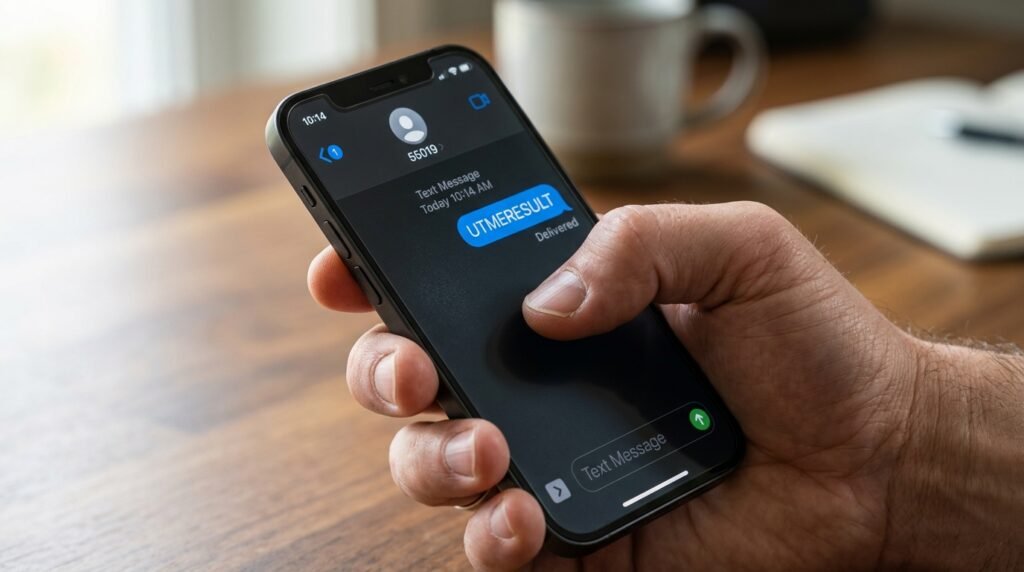
I sent “UTMERESULT” to 55019 from my phone. Got a reply within two minutes. It showed a score and some subject lines.

Then I tried to do something with that score. Print it. Submit it to a school. Use it for anything beyond knowing a number.

That’s where the SMS method stops working. And almost every guide online skips that part entirely, because they treat sending the text and checking the result as if they’re the same thing. They’re not.

Here’s what the 55019 service actually does, where it genuinely helps, and the specific moments it will leave you stuck.


What the 55019 SMS Service Actually Does
To use the service, open your phone’s SMS app and type UTMERESULT (no space, all caps) and send it to 55019 or 66019. The number you send from must be the exact SIM you used when you created your JAMB profile during registration.

That last part is the non-negotiable one. Not your current number. Not a replacement SIM. The registered one.

Once sent, a service charge of ₦50 airtime is deducted from your balance. Within minutes, depending on time and network, you receive your JAMB score via SMS.

The format you receive it in reads something like: “Dear Mr/Miss [Name], your result is as follows…” followed by your score.

What exactly follows those words? That’s where it gets thinner than most guides admit.


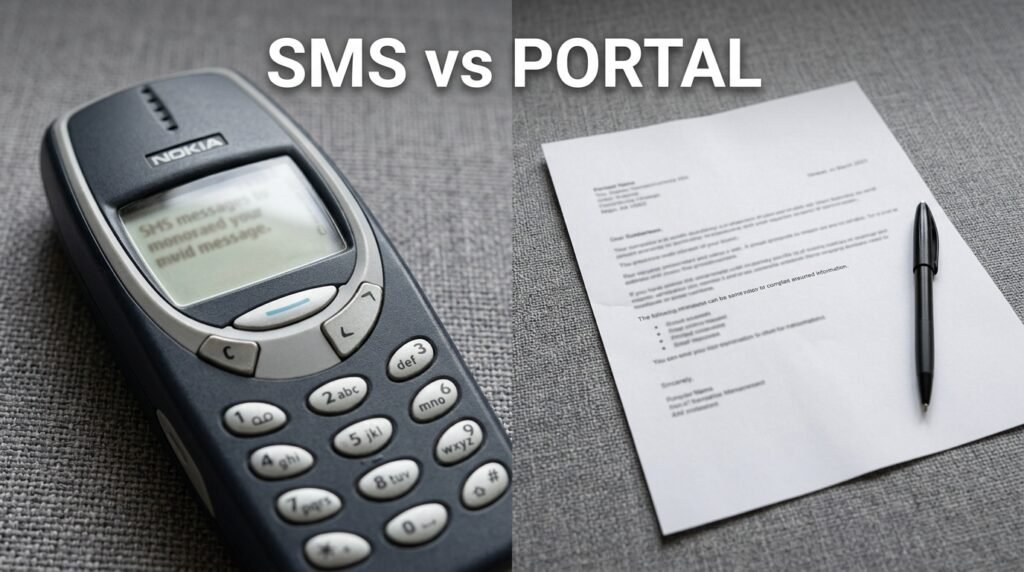
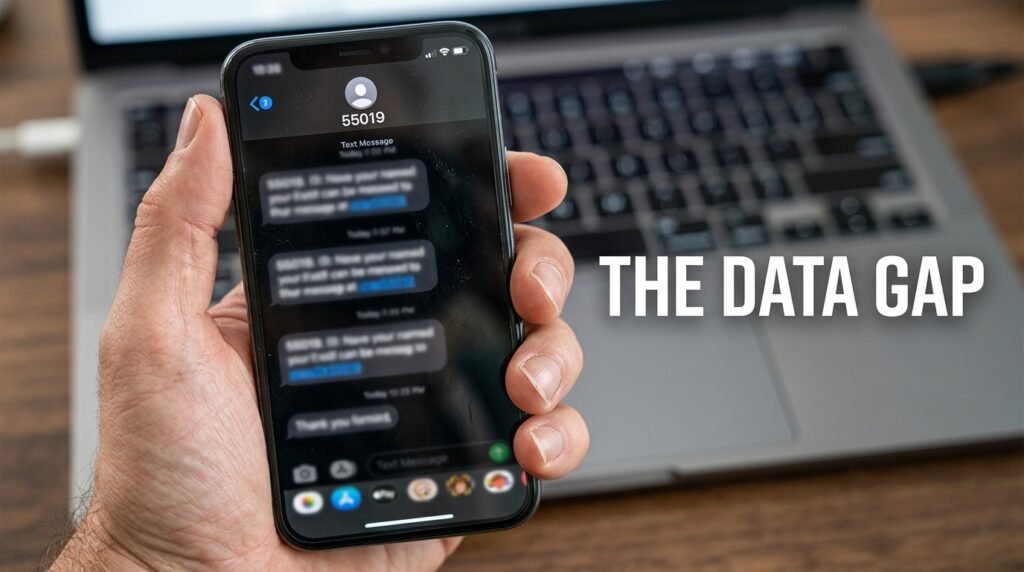
The Data Gap: SMS vs. Portal, Side by Side

This comparison is what no one lays out clearly.

What you want to knowSMS (55019)e-Facility Portal
Total aggregate scoreYesYes
Individual subject scoresPartial (listed in reply)Yes, in full
Passport photographNoYes (on result slip)
JAMB registration detailsNoYes (on result slip)
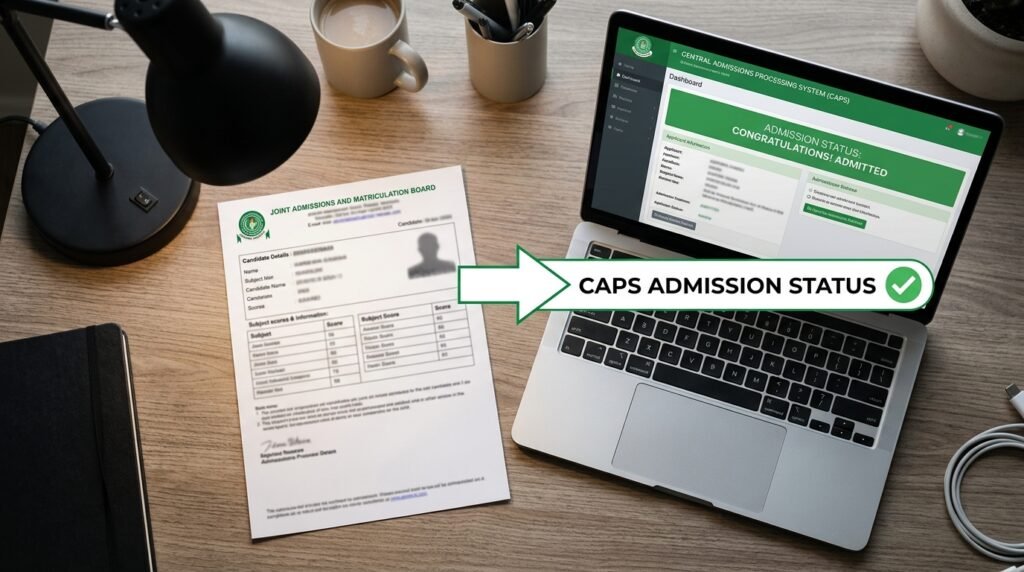
Admission status (CAPS)NoYes
Printable official result slipNoYes (after paying ₦1,500)
Accepted by institutionsNoYes

The SMS is not accepted by institutions. The original result slip is the only document that counts.

The original result slip carries your passport photograph, your score in each subject, your total out of 400, and your JAMB registration details, all officially stamped by the board.

So the SMS gives you a number to calm your nerves. The portal gives you a document to start your life.


The Number-Matching Requirement Is Stricter Than It Sounds

Here’s what trips people up constantly.

The message must go from the exact number used during registration. Not a similar line, not a new SIM. The same one.

If you used a line that has since been barred, deactivated by your network provider, or swapped out for a new SIM after number porting, the service returns a specific rejection. If a candidate uses a phone number that was not used to register, the message received reads: “This phone number was not used for registration.”

You still pay the ₦50.
If you have lost the phone number or SIM and do not mind the stress of going through the SIM retrieval process, you can go ahead to retrieve the line and then use it to send the message. SIM retrieval through a network provider typically requires proof of ownership as mandated by Nigerian Communications Commission (NCC) guidelines and takes anywhere from a few hours to several days. No guide mentions this delay, but it matters if results are released in batches and your exam date’s batch goes live while you’re still waiting at the Airtel or MTN office.

Also worth noting: the format must be exactly UTMERESULT in capital letters, spelled correctly with no space between UTME and RESULT. Writing “UTMERESULTS” (with an S) will not work. The system is case-sensitive and spelling-sensitive. Every ₦50 you spend on a wrongly formatted text is gone.


Every Reply the System Sends and What It Actually Means

If successful, you get a message reading “Dear Miss X, your result is as follows…” with your subject scores. If something is wrong, you receive one of these instead: “Result Withheld” means the result has been held back. “This phone number was not used for registration” means the sending SIM is not linked to any candidate. “Result withheld pending required clarifications/documents” means additional verification is needed before release. “CANDIDATE ABSENT” means you did not sit for the examination. “Invalid Entrance into the Exam Hall” means you were not authorised to enter the hall.

Two of these, “Result Withheld” and “Result withheld pending…documents,” look identical on the surface but mean different things in practice. The first is typically connected to suspected malpractice during or after the exam. The second is specifically about missing documentation JAMB requested from you. The portal will sometimes show you more detail on which of these applies; the SMS just gives you the phrase.

That’s a concrete case where the SMS reply actively gives you less information than you need to take the next step.


When the SMS Succeeds and the Portal Still Shows Nothing

This happens. It’s a sequencing issue.

According to JAMB’s registrar, Professor Ishaq Oloyede, results are usually checked through the USSD codes 55019 or 66019 initially, and later released on the board’s website for printing.

Read that carefully. SMS access comes first. Portal printing comes later. The gap between those two events can be days or weeks.

Until printing was announced on May 18, 2026 (as confirmed by JAMB spokesperson Dr. Fabian Benjamin), candidates could only check their score via SMS. The result slip had not been available for printing before that point.

So if you check via SMS and then immediately head to the portal expecting to print a slip, you’ll hit a page that says your result isn’t available yet. That’s not a technical error. That’s intentional sequencing by JAMB. The SMS window and the portal window are not the same window.


The One Case Where SMS Wins Outright

A dual-SIM Android user with no data plan at 11 PM. Results just released. Portal is hammered by 1.8 million candidates simultaneously.
SMS checking does not need an internet connection and is compatible with either a keypad phone or a smartphone. You just need a phone, the registered number used in generating your profile code, and a minimum of ₦50 airtime.

The portal tends to get congested, especially in the first few days after results drop. Early morning or late night often works better for the portal, but if you’re checking from a rural area with poor data coverage and a basic handset, the SMS route is genuinely the only practical option that moment.

That said, the score you get is the same number you’d see on the portal. You’re just seeing it earlier and on a cheaper device. You’re not getting more data. You’re getting less.


What You Cannot Do Through SMS, Ever

A clean list, because this is where candidates waste time expecting the channel to do something it structurally cannot:

  • You cannot view your individual subject breakdowns with the same formatting the portal shows
  • You cannot check your CAPS (Central Admissions Processing System) status or see what institution has offered you admission
  • You cannot retrieve your registration number through the standard UTMERESULT text (you’d need to send “RETRIEVE” instead, which is a separate SMS entirely)
  • You cannot access any correction-of-data services
  • You cannot print anything

For admission purposes, schools usually require the printed result slip, not just the SMS result. That slip, from the portal, shows your passport photograph and full subject breakdown. The SMS text on your phone screen shows neither.


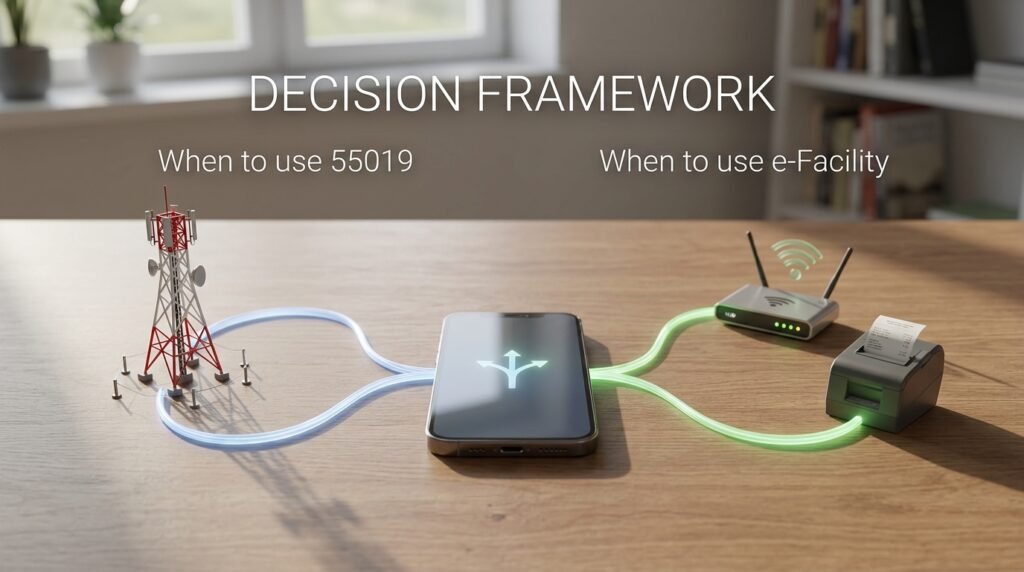
The Practical Decision Framework

Use this to decide which channel to use at which moment.

Send the SMS to 55019 if:

  • Results were just released and you know the portal is slow or down
  • You have no internet access or no data balance
  • You’re on a basic keypad phone
  • You just want to know your aggregate quickly before doing anything else
  • You have your registered SIM active and in the phone you’re using

Go directly to the portal (efacility.jamb.gov.ng) if:

  • You need to verify individual subject scores with precision
  • You need to check your admission status on CAPS
  • The result has been out for more than a few days and printing is now active
  • Your registered SIM is lost, deactivated, or in a different city from where you are right now
  • You want to do anything official with the result

If your registered SIM is gone and you cannot retrieve it, skip the SMS entirely. Go to the portal with your email and registration number. For online checking, you need your email and password. For SMS, you need to send from your registered phone number. No registration number is required in the message itself. That means the portal actually asks less of you in terms of SIM access, as long as you remember your login credentials.

Print at least two copies of the result slip once printing opens. Every university, polytechnic, and college of education you interact with during the admission cycle will ask for this document. The ₦50 SMS and the ₦1,500 printing fee are solving different problems entirely. Treat them that way.
JAMB Result Withheld: The Documented Reasons and the Exact Steps to Get It Released

I’ve watched this play out too many times, a candidate texts UTMERESULT to 55019, refreshes the portal, and instead of a score, gets back the words Result Withheld. Panic sets in. Phones start blowing up. Someone in a WhatsApp group claims they know a man who can fix it for ₦20,000.

Stop. Breathe. Here’s what’s actually happening and what you can realistically do about it.

“Withheld” and “Under Investigation” Are Not the Same Thing

Most guides treat these as interchangeable. They’re not, and the distinction matters because your next move depends on which one you’re dealing with.

Result Withheld typically signals suspected exam malpractice. It may not be released at all, pending investigation.

Result withheld pending clarifications/documents is a different message entirely, meaning JAMB needs something from you specifically before they can release it.

A third message, “We are holding your result pending the upload of clarifications/documents required from you,” is the clearest prompt to act on the portal immediately.

If your SMS or portal shows the first type (a flat “Result Withheld” with no further instruction), JAMB’s investigation team has flagged your session and the review is on their end. You can’t submit a document to fix it. You wait, then follow up through official channels.

If your message mentions documents or clarifications, that’s your cue to log into the official JAMB e-Facility portal right now.


The Classification You Actually Need: Four Documented Triggers

Here’s what no generic article gives you. JAMB doesn’t withhold results randomly. There are specific, documented categories, and each one has a different resolution path.

Suspected Malpractice (Behavioural Flag)

If your CBT supervisor flagged any irregular behavior during your session, that report goes directly to JAMB’s investigation team. This includes suspicious movement, attempting to communicate with other candidates, using unauthorized materials, or anything the center’s AI proctoring system flagged as unusual. You don’t have to be caught red-handed; a flag is enough to trigger a hold while footage is reviewed.

JAMB’s primary tool for clearing innocent candidates is CCTV footage from accredited centers. If you did nothing wrong, the footage will show it.

What you can do: Nothing digital fixes this. The review happens on JAMB’s side. Visit the nearest JAMB state office with your registration details, your exam confirmation slip, and a valid ID. You can also raise a complaint through the JAMB helpdesk ticketing system at the e-Facility portal. Go in person, be specific about your exam date and centre, and ask them to note your concern formally.

Biometric Mismatch or Fingerprint Rejection

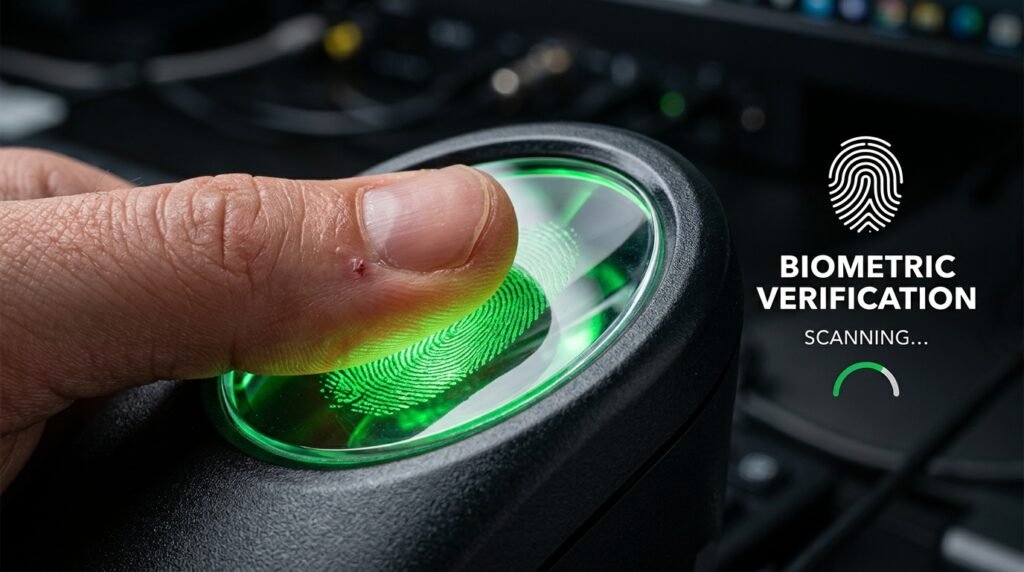
Every candidate’s fingerprints are captured during JAMB registration and again during the exam. If your fingerprints didn’t match properly on exam day, whether due to a registration error, a technical glitch at the verification point, or an inconsistency in the system, your result may be held for additional identity verification. This can happen to completely innocent candidates. It is a system issue, not an accusation.

In 2025, 2,157 candidates had fingerprint rejection issues, and 3,656 were tied to centers that registered candidates with multiple fingerprints.

This one is not your fault and resolves faster than malpractice cases. JAMB confirms your identity through the biometric data they already hold, then clears the hold. A state office visit speeds things up by putting a human being on your file.

Flagged or Banned CBT Centre

In 2024, 57,056 withheld results were tied to 18 flagged CBT centers. In 2025, four CBT centers were fully delisted. If your centre was among them, your result got caught in a batch hold that has nothing to do with your personal conduct.

JAMB confirmed that where infractions are discovered after the examination, results may be withheld or withdrawn. The painful reality here is that even a clean, honest candidate who sat in a compromised centre gets swept into the hold. The investigation runs at the centre level first, then individual results are separated out.

What you can do: This resolves on JAMB’s timeline, but you can accelerate your file by visiting the state office and making a formal note that you were unaware of any issue at your centre.

Pending Document Upload or Data Discrepancy

This category includes candidates who may have belonged to a group being given the benefit of the doubt, with the message reading: “Result withheld pending the upload of clarifications/documents required from you.”

Log into efacility.jamb.gov.ng. Check your dashboard for any notification or pending action. If something is waiting for your input, submit it immediately. This is the one category where sitting at home and waiting actually costs you time.


The Action Map: Who Does What

TriggerWho ActsWhere
Behavioural malpractice flagJAMB (you follow up)Visit state office; raise helpdesk ticket on e-Facility
Biometric/fingerprint mismatchJAMB (you can prompt)State office visit speeds up resolution
Flagged CBT centreJAMBState office visit to formally note your case
Document/clarification pendingYouefacility.jamb.gov.ng dashboard

The Exact Steps If Your Result Is Withheld

First, check the precise wording of your SMS or portal message. Screenshot it. The wording tells you which category you’re in.

Second, do not pay anyone. The moment word gets out that your result is withheld, someone will approach you or someone you know claiming they can get it released for a fee. There is no backdoor. Paying them costs money and puts you at additional risk. This is one of those cases where the scammers are faster than the news, so expect the approach within hours of results day.

Third, log into efacility.jamb.gov.ng and check your dashboard for any pending action or document request. Do this before anything else, even before calling anyone.

Fourth, if no action is pending on the portal, contact JAMB through the official support lines at 08166335513 or 08123658955, or submit a ticket at jamb.gov.ng/support.

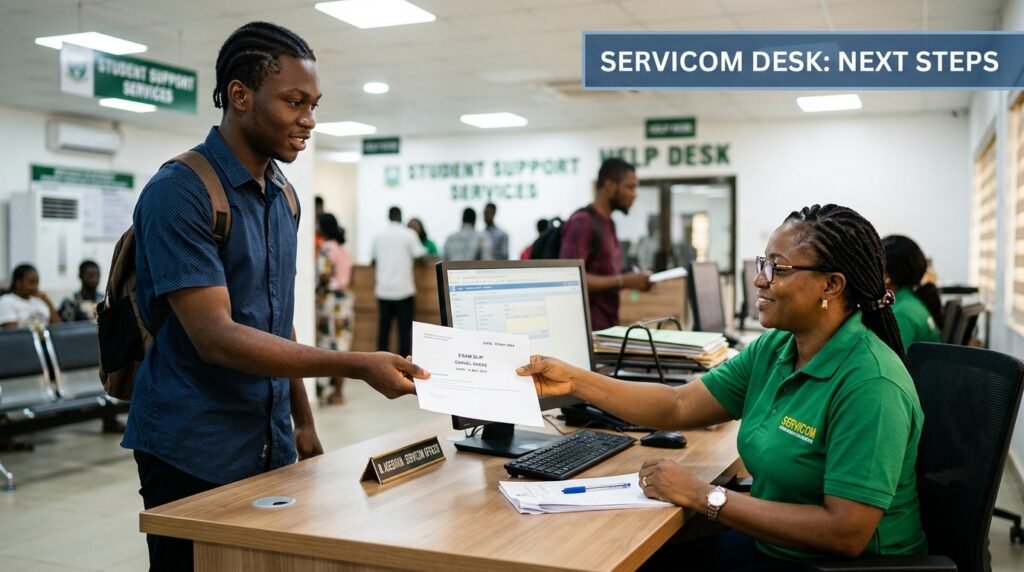
Fifth, visit your nearest JAMB state office in person. Bring your JAMB registration number, your exam confirmation slip, and a valid national ID. Ask to speak to someone at the SERVICOM desk. Log your name, your registration number, your exam date, and your centre. This creates a paper trail that can matter if resolution drags past the initial batch releases.


What “Under Investigation” Actually Means for Your Timeline

JAMB usually wraps up investigations within two to four weeks after the full exam cycle ends. Permanent cancellation only happens when JAMB finds hard, verifiable evidence of malpractice.

There are three possible outcomes from the review: Release (investigations confirm you are innocent), Correction (an error is found on JAMB’s side and fixed), or Cancellation (hard evidence of malpractice is confirmed). Cancellation is the least common outcome.

Most withheld results that start under review are eventually released after the investigation concludes. The process takes time, but innocent candidates do get their results. That’s not a guarantee, but it’s the documented pattern across 2024 and 2025.


The Underage Result Hold: A Separate Category Entirely

For 2026, JAMB confirmed that underage candidates, specifically those who will not be 16 years old by September 30, 2026, are seeing “No Result Yet” rather than a released score. These candidates are not automatically disqualified. Those who score 320 and above will be shortlisted for further screening.

JAMB’s FAQ states that exceptional students below 16 can be considered for admission provided they score 80% in the UTME, SSCE, and Post-UTME. If this applies to you, the path forward is waiting for JAMB’s screening notification, not submitting documents or visiting a state office.


The Advice That Keeps Failing Candidates

Here’s the popular guidance that doesn’t actually work in practice.

“Just wait and it’ll resolve itself.” Sometimes it does. But sitting passively while your file sits in a queue of tens of thousands is not a strategy. The candidates who get resolution faster are typically the ones who registered a formal complaint through the helpdesk and followed up at the state office. Your case needs a human being to notice it.

“Check the portal every day and you’ll see an update.” True, you should check the portal. But batch releases happen silently, with no SMS or email notification in many cases. Combine portal checks with a formal complaint so your case isn’t purely passive.

“The withheld result means you definitely cheated.” In 2024, out of 64,624 withheld results, only 78 cases were direct exam misconduct. The vast majority, over 57,000, were tied to 18 flagged CBT centers, with no personal fault attached to those candidates. Most people in a withheld result situation did nothing wrong. The flag is not a verdict.


Your clearest move right now: check your portal, screenshot the exact message, and if no document upload is pending, head to the JAMB state office nearest to you this week with your exam confirmation slip and a valid ID. Don’t wait for two weeks hoping the batch clears. Put your name on a formal record and follow up.

JAMB Result Not Showing? Here’s How to Know If You Should Wait or Act Right Now

I’ve watched too many candidates waste days refreshing a portal when their result was never coming, and others panic-visit a JAMB office over something that resolved on its own within 24 hours. The difference almost always comes down to one thing: knowing which of two completely separate situations you’re actually in.

“Keep checking” is not advice. It’s a way to avoid giving you a real answer.

The Situation Most People Are Actually In

The Joint Admissions and Matriculation Board (JAMB) releases results within 48 hours after CBT exams. But here’s what nobody explains: they don’t release all results in one batch. JAMB Registrar Prof. Is-haq Oloyede confirmed that results are processed and released in batches, with the first wave going out within 48 hours of the last paper. If you sat on a later exam date, your batch comes later. A blank result on day one does not mean anything is wrong.

The message “Result Not Available” usually means your session’s batch has not been released yet, and JAMB has been releasing results daily since the exam period.

So before you do anything else, confirm the actual batch release date for your specific exam day. Don’t compare with a friend who sat two days before you. Their batch and your batch are different things.

The Diagnostic: One Table That Tells You Where You Stand

This is the check most guides skip. Run through it before doing anything.

What you see on the portalWhat it meansWhat to do
“Result Not Available”Your exam batch hasn’t been released yetWait up to 72 hours from your own exam date, then check again
Blank page / login works but no result shownBatch delay or profile data issueTry the SMS method as a cross-check first
“Result Withheld”JAMB has flagged your result for reviewLog in to e-Facility immediately and check for a document request
“Candidate Absent”JAMB’s system shows you did not sit the examPhysical visit to a JAMB state office with your exam slip and valid ID
“Invalid Entrance into the Exam Hall”An unauthorised entry incident was logged at your centreVisit a JAMB state office with all your documents
“We are holding your result pending the upload of clarifications/documents”JAMB needs paperwork from youUpload the requested documents via your e-Facility portal right away
You can log in, see your profile, but no score appearsPossible batch delay or minor account mismatchCross-check via SMS before visiting any office

The SMS check is your fastest independent signal. Text “UTMERESULT” to 55019 or 66019 using the same phone number you used during JAMB registration. If you get a score back, your result is fine and the portal display is the only issue. If the SMS returns an error message different from what the portal shows, that conflict itself is useful information to take to a JAMB office.

“Result Withheld” Is Not the Same as “Result Cancelled”

This distinction matters enormously and almost no article makes it clearly.

A withheld result is an administrative pause placed on a specific candidate’s outcome. It is not equivalent to cancellation or failure. It is a procedural step that places results under review pending confirmation of exam integrity.

Three things typically trigger it:

The first involves biometric verification mismatches where fingerprint data or identity confirmation fails to align with registration records. The second involves suspected examination malpractice indicators detected through surveillance systems or unusual response patterns. The third involves technical irregularities linked to CBT centre operations such as connectivity disruptions or system logging inconsistencies.

The third category is the one people never expect. Your centre’s network crashing during your session can flag your result for review without anything you did wrong.

JAMB released 279 UTME results in May 2026 that had earlier been withheld over suspected malpractice, following a detailed fraud screening process. The examination body said the release came after investigators found no prima facie evidence against those candidates. That’s a real number from a named source, and it tells you that a withheld result being cleared after investigation is a documented, common outcome.

In 2025, 39,834 results were withheld. That year, specific infractions included 2,157 candidates with fingerprint rejection issues and 3,656 tied to centres that registered candidates with multiple fingerprints. Most withheld results are eventually resolved. Cancellations only happen when evidence of malpractice is clear and confirmed.

The “Candidate Absent” Status Is Different Again

Don’t ignore this one. It’s the most urgent flag on the table.

A “Candidate Absent” status usually happens when the biometric capture at your exam centre failed. You physically sat the exam. But if the system couldn’t verify your fingerprints at entry, it may have no record of you being there.

Your move here is physical, not digital. Refreshing the portal does nothing. Go to the nearest JAMB state office with your exam slip and a valid ID. The sooner you do this, the better. These cases require a manual review of your centre’s attendance records and CCTV logs, and that process takes time after you initiate it.

The Underage Flag: A Specific 2026 Case

For 2026, JAMB confirmed that underage candidates, specifically those who will not be 16 years old by September 30, 2026, are seeing “No Result Yet” rather than a released score. These candidates are not automatically disqualified. Those who score 320 and above will be shortlisted for further screening. Only after that process will their results be considered for release.

If you know you fall into this category, waiting and checking repeatedly is the right approach. Visiting an office won’t accelerate the screening process.

The Decision Framework: Wait or Act?

Use this to decide your next step right now.

Wait (do nothing for up to 72 hours from your own exam date) if:

  • The portal shows “Result Not Available”
  • Your exam date was within the last 48 hours
  • The SMS method also shows nothing (not an error, just no result yet)
  • You’re an underage candidate who knows you’re under 16 before September 30, 2026

Take action immediately if:

  • The portal shows “Result Withheld” (log in to e-Facility and check for document upload requests first, then visit a state office if nothing is listed)
  • The portal shows “Candidate Absent” (go to a JAMB state office with your exam slip and ID today)
  • The portal shows a document hold message (upload what they’re asking for via e-Facility right now)
  • More than 5 days have passed since your exam date and no result has appeared in any form
  • The SMS returns an error that contradicts what the portal shows

What You Should Not Do

Don’t pay anyone. Full stop. JAMB considers paying someone to unlock a withheld result to be fraud. Every cycle produces a fresh wave of people promising to “fix” your result for a fee. JAMB has emphasized that such claims are false and criminal, and that any candidate found engaging in malpractice risks cancellation of registration, withholding, or withdrawal of results.

Don’t use third-party apps. There is no official JAMB mobile app for result checking. Any “JAMB Result Checker” app on the Play Store or App Store is a third-party tool. The only two official channels are efacility.jamb.gov.ng and the SMS shortcodes 55019 and 66019.

Don’t check using the wrong phone number for SMS. The reply only goes to the number registered during JAMB enrollment. Sending from any other SIM gets you nothing, and you still get charged.

What the Portal Actually Looks Like When Results Drop

When your result is properly released, logging into efacility.jamb.gov.ng shows your score on your dashboard. That’s the score view. The printable result slip, the document that universities actually want for Post-UTME, lives on the separate portal slipsprinting.jamb.gov.ng and requires a fee of approximately ₦1,500 to generate once JAMB activates slip printing for that cycle.

Seeing your score on the dashboard and being able to print your slip are two separate steps that become available at different times. Candidates who see their score but can’t print anything yet are not experiencing an error. That’s just the sequence JAMB uses.

Your clearest next move, if you’re past 72 hours from your exam date and nothing has appeared via the portal or SMS, is to visit a JAMB state office with your exam slip, your registration number, and a valid ID. That visit, done early, produces more information than any amount of portal refreshing.

JAMB Aggregate Score Calculation: How Your UTME Result Combines With Post-UTME and O’Level

I checked my JAMB portal three times the year I scored 251 in UTME, fully convinced that number alone would carry me into Pharmacy at a federal university. It didn’t. My department’s screening list ranked candidates by a totally different figure, one I hadn’t even calculated, and I watched people with lower UTME scores than mine get admitted ahead of me because their combined number beat mine.

That gap between “my JAMB score” and “the number that actually decides admission” is where most students lose ground without realizing it.

Your raw UTME result, the one out of 400, is only the first ingredient. Universities don’t rank candidates by that figure in isolation. They convert it into a smaller share of a total, add a share for your post-UTME screening, sometimes add a share for your O’level grades, and the figure that comes out the other end is your aggregate score. That’s the number your department compares against every other applicant.

The Formula Skeleton Every School Builds From

Strip away the branding on each university’s admission portal and you’ll find one of three skeletons underneath.

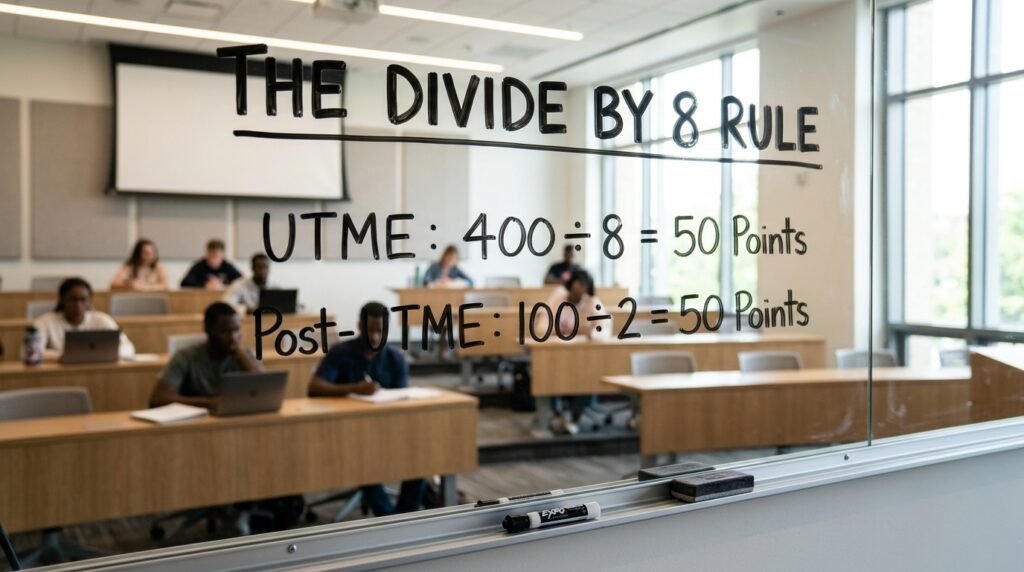
Two-component model. JAMB and post-UTME only, usually split 50:50. The University of Lagos uses this version: take your UTME score, divide it by 8, take your post-UTME score (already scored out of 100), divide it by 2, and add the two halves. A candidate with 251 in UTME and 71 in post-UTME gets 251 ÷ 8 (which is 31.4) plus 71 ÷ 2 (which is 35.5), landing at 66.9 out of 100.

Three-component model. JAMB, post-UTME, and O’level grades, often weighted 50:30:20. The University of Ilorin runs a version of this split. Your O’level grades get converted into points first, summed across five subjects, then scaled to fit the 20% slice.

Screening-only model. No post-UTME exam at all. The aggregate is built from JAMB and O’level alone, sometimes JAMB alone. Some private universities and a handful of state institutions take this route, particularly in admission cycles where post-UTME screening gets suspended.

Here’s the part that almost nobody flags clearly: there is no single, universal JAMB aggregate formula. Each institution sets its own split under guidance from the National Universities Commission, and the split for Medicine at one school can differ from the split for Mass Communication at the exact same school. Treat any aggregate number you calculate as an estimate tied to a specific university’s published formula, not a national constant.

Why Dividing by 8 Even Makes Sense

The division by 8 confuses a lot of candidates the first time they see it, so it’s worth slowing down on the logic instead of just memorizing the step.

UTME is scored out of 400. Post-UTME is almost always scored out of 100. If a school wants both exams to carry equal weight in the final aggregate, it has to shrink the 400-point scale down to match the 100-point one before adding them. Dividing by 4 would get UTME down to a 100-point scale, matching post-UTME exactly, but that gives JAMB the same full weight as post-UTME, a 50:50 split at the raw level.

Most universities want JAMB to count for half of the final 100-point aggregate, not the whole thing. So they divide by 8 instead of 4, which shrinks UTME down to a 50-point ceiling. Post-UTME, in turn, gets divided by 2, shrinking its 100-point scale down to the same 50-point ceiling. Add a maximum-possible 50 from each side and you get a maximum aggregate of 100. That’s the entire trick behind the “divide by 8” instruction you’ll see on almost every Nigerian university’s admission page: it’s just unit conversion dressed up as a rule.

A Full Worked Example: Three-Component Aggregate

Let’s run actual numbers through a 50:30:20 model, the kind UNILORIN’s published guidance describes for several of its programmes.

Say a candidate scored 233 in UTME and 68% in post-UTME, with these O’level results in the required five subjects:

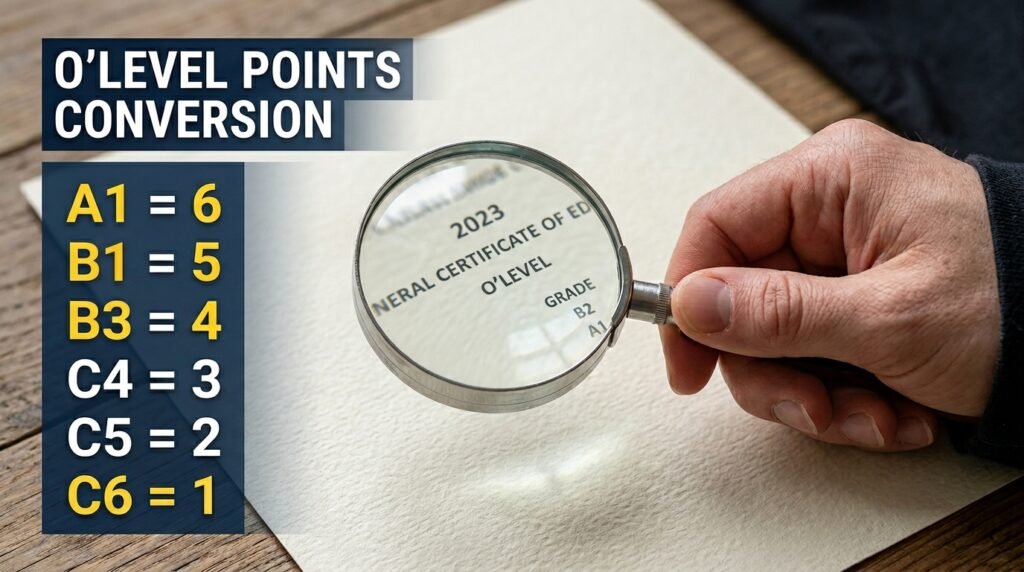
SubjectGradePoints (A1=6, B2=5, B3=4, C4=3, C5=2, C6=1)
EnglishB34
MathematicsC43
PhysicsB25
ChemistryA16
BiologyB34

Add those points together and you get 22 out of a possible 30 (since the maximum per subject is 6, across five subjects).

Now scale each component to its assigned share of the 100-point aggregate.

JAMB’s 50% share: (233 ÷ 400) × 50 = 29.1

Post-UTME’s 30% share: (68 ÷ 100) × 30 = 20.4

O’level’s 20% share: (22 ÷ 30) × 20 = 14.7

Add the three: 29.1 + 20.4 + 14.7 = 64.2 out of 100.

That candidate’s UTME score alone, 233, looks decent against a typical 180 cut-off mark. But the aggregate that actually gets ranked, 64.2, tells a different story depending on what the department’s historical admission line looks like. A weak post-UTME or a string of C-grade O’level results can drag a strong JAMB score down hard, which is exactly what trips candidates up.

The Decision Framework: Aggregate Reality Check

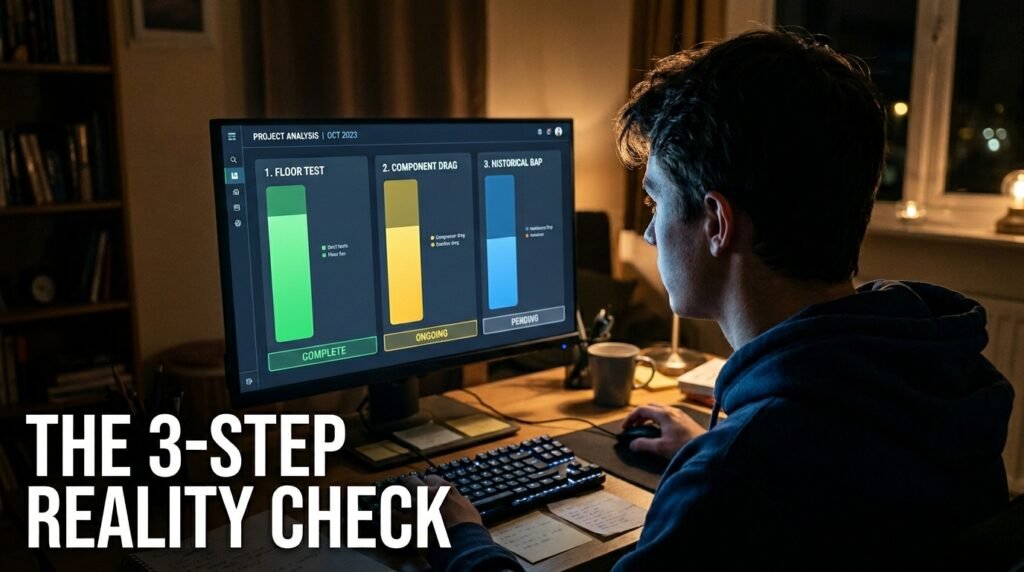
I built this as a quick gut-check, not a guarantee, since no calculator can tell you what this year’s competition looks like. Call it the Three-Number Reality Check.

Before you treat any aggregate number as good news or bad news, run it through these three thresholds:

  • Floor test: Is your UTME score above the published general cut-off mark for the institution? If not, stop. You’re not eligible for screening at all, and no aggregate math matters yet.
  • Component drag test: Look at your three converted shares side by side. If any single component contributes less than half of its maximum possible share (for example, your O’level share is under 10 out of a possible 20), that component is actively pulling your aggregate down, and improving it would do more for your final number than trying to push an already-strong component higher.
  • Historical gap test: Compare your aggregate against your department’s published or commonly cited cut-off aggregate from the last two admission cycles, not the general university cut-off. If you’re within 3 to 5 points below it, the gap is closeable through O’level upgrade or a stronger post-UTME push. If you’re 15 or more points below it, that course at that specific school is not a realistic target this cycle.

This isn’t a formula any university hands out. It’s a way of reading your own numbers honestly instead of fixating on the UTME score alone, which is precisely the habit that gets candidates blindsided.

Where Candidates Get the Math Wrong

A lot of the confusion isn’t about the formula itself. It’s about which number goes where.

People plug their JAMB score directly into the post-UTME slot, or treat O’level grades as already being “points” without converting them first. WAEC and NECO results come back as letters, A1 through F9, not numbers, and only A1 through C6 count as usable credits in any aggregate calculation. A D7 or an E8 in a required subject doesn’t get partial credit; most institutions simply exclude that subject from the count entirely, which can leave you short of the five-credit minimum even if you “passed” every paper.

There’s also a popular piece of generic advice floating around that I’d push back on hard: the idea that a strong UTME score “covers” a weak post-UTME or weak O’level. It doesn’t, structurally. Once a school locks in a weighting split like 50:30:20, each component is capped at its own ceiling no matter how well you did elsewhere. A perfect 50 out of 50 on the JAMB share still leaves you needing real performance on the other two legs, because the math adds three separate numbers, it doesn’t average them in a way that lets one carry the others.

Another trap: assuming the percentage split you read for one university applies to every department in that same university. It often doesn’t. Medicine, Law, and Engineering departments inside the same school sometimes apply stricter internal screening on top of the general formula, layering departmental cut-offs over the university-wide aggregate. Always check your specific department’s brochure, not just the general admission page.

One-sitting O’level results get treated differently from two-sitting combinations in some formulas too. If your five credits come from two different exam sittings (say, three from your first WAEC attempt and two from a NECO retake), confirm whether your target institution accepts that mix before you build your O’level points around it. A few departments, especially in competitive courses, restrict themselves to single-sitting results only.

Component Weight Comparison Across Common Models

Model TypeJAMB SharePost-UTME ShareO’level ShareWhere You’ll See It
Two-component, equal split50%50%Used only for eligibility, not scoredUNILAG, several federal universities
Three-component, JAMB-heavy50%30%20%UNILORIN-style models
Screening-suspended modelUp to 100%, sometimes blended with O’level0%Variable, sometimes up to 50%Sessions where post-UTME is cancelled

The takeaway from that table isn’t which model is “better.” It’s that you cannot calculate a meaningful aggregate until you know which row applies to your specific school and course, because the same JAMB score produces a wildly different aggregate depending on the formula sitting underneath it.

What To Actually Do With Your Number

Pull your target university’s official admission brochure or screening guideline document for the current session, not a third-party aggregate calculator site, and confirm three things: the exact percentage split, the O’level point scale they use (some schools score A1 as 6 points, others score it as 5 or 4, and the gap matters once you’re adding five subjects together), and whether your specific department layers extra requirements on top.

Once you have those three details, run your own numbers through the formula by hand once, the way I worked through the example above, before trusting any calculator’s output. Knowing exactly where each fraction of your aggregate comes from tells you which exam to actually focus your remaining preparation time on, instead of guessing.

JAMB result checking: the complete guide to accessing and verifying your 2026 UTME score

I checked my own JAMB result years ago on a Nokia keypad phone outside a cybercafe, and I still remember the small panic when the SMS took longer than I expected. That wait, and the question of whether what finally lands on your screen is actually real, is what most guides skip. They tell you how to see a number. They don’t tell you how to know that number is yours, untouched, and the same one sitting in JAMB’s own database.

This guide covers both halves of the job. First, the retrieval steps that work right now. Second, and this is the part most articles leave out, how you cross-check your result across the three places JAMB actually puts it: the SMS reply, the online portal view, and the printed slip. If those three don’t match, you have a problem worth catching before an admission office catches it for you.

Key takeaways

  • You can check your 2026 UTME result two ways: by SMS to 55019 or 66019, or by logging into JAMB’s e-Facility portal.
  • JAMB releases results in batches by exam date, so a missing result often just means your batch hasn’t dropped yet.
  • The SMS reply, the portal view, and the printed result slip should all show the same registration number, name spelling, and scores. Any mismatch is a red flag.
  • JAMB has confirmed multiple fake result slips circulating in 2026, some allegedly made with AI editing tools, and has arrested people for it.
  • Your result slip carries a verification reference that institutions check against JAMB’s own system, so a slip that can’t be verified there is not a result you can use.

The fastest way to check your result right now

If you just want your score, SMS is quicker than the portal in almost every case. You send UTMERESULT to 55019, and you need to do it from the phone number linked to your registration number, because the system matches the line, not the person typing.

Here’s what you actually need before you send anything:

  • The same SIM card you registered with JAMB. A second line, even your own, won’t pull your result.
  • At least N50 credit on that line, since the service charges for the message.
  • Patience for a few minutes. Replies don’t arrive instantly, especially during the first days after release when traffic on the shortcode is heavy.

If you’d rather see your result on a screen and possibly print it, you go through the portal instead. Type efacility.jamb.gov.ng into your browser, enter your registration number or linked email, then select the check results option. You’ll need a working internet connection for this route, and during the first few days after a release, the portal tends to slow down under the weight of everyone trying at once.

One thing worth knowing before you try either method: JAMB doesn’t release every candidate’s result on the same day. Results come out by batch, tied to which day you actually sat the exam, so if your result isn’t showing yet, your exam day’s batch likely hasn’t been uploaded. That’s not a fault on your end, and resending the SMS five times in a row won’t speed it up. It just burns your airtime.

SMS versus portal: which one to use and when

FactorSMS (55019 / 66019)Online portal (efacility.jamb.gov.ng)
What you needRegistered phone line, N50 airtimeInternet connection, login email and password
SpeedUsually a few minutesCan be slow during peak traffic
What you seeTotal score only, in most cyclesScore and, once activated, your full subject breakdown
PrintingNot possible directly from SMSRequired step if you need a printed slip
Best forA quick first look at your scoreConfirming details and preparing your slip for admission

If you only need to know your number today, SMS gets there faster. If you need the document for admission screening later, you’ll end up on the portal anyway, so you might as well start there once it’s running smoothly.

Why your result might not be showing yet

Before you assume something’s wrong, run through the ordinary reasons a result stays hidden. Most of the time it’s one of these, not a system error and not something you did wrong.

  • Your batch hasn’t been released. JAMB processes results by exam date in groups, and earlier exam days are usually cleared first.
  • There was a flag on your exam session. Technical glitches at the CBT centre or suspected irregularities during your sitting can hold a result back for review.
  • You’re using the wrong phone number. If you changed your SIM after registration, the shortcode won’t recognise the new line.
  • Your login details don’t match what you registered with. A typo in your email or a forgotten password will block portal access even though your result already exists.
  • Low airtime stopped the SMS from going through. The message needs to actually send, and a balance under the required amount means it never reaches the shortcode.

If you’ve ruled all of these out and still see nothing after a reasonable wait, that’s when it makes sense to raise a ticket rather than keep guessing.

The verification layer nobody else walks you through

Here’s the part that actually matters once you have a number in front of you. Seeing a score is not the same as confirming it’s correct, unaltered, and the one JAMB has on file. This matters more in 2026 than in past years, because JAMB has publicly confirmed several fake result slips making the rounds, in at least one case claiming a candidate scored 394 in the 2026 UTME when no such result existed.

I’m calling this process the three-point match, and it’s simple: you compare your result across the three places it should appear, and you check that all three agree.

Point one: the SMS reply

Your SMS reply comes from one of two numbers only. JAMB has stated plainly that the only valid result notifications are those sent directly from the shortcodes 55019 or 66019, and anything arriving from a different number is not genuine. Check the sender field on the message itself, not just the text inside it. If the message came through a regular ten or eleven digit number, or through WhatsApp, or through a forwarded screenshot someone sent you, treat it as unverified until you check it another way.

Take a plain screenshot for your own records, but don’t edit it, crop out parts of it in a way that removes the sender info, or rely on someone else’s screenshot as proof of your own score.

Point two: the portal view

Log into efacility.jamb.gov.ng yourself, using your own credentials, rather than trusting a number someone else read out to you. The score on your dashboard should match the SMS exactly, subject for subject if a breakdown is shown, and as a total either way.

If the portal shows something different from your SMS, don’t assume the portal is more accurate. Both numbers should trace back to the same processed result. A mismatch here means you contact JAMB through official channels before doing anything else, including before telling family or sharing it anywhere.

Point three: the printed result slip

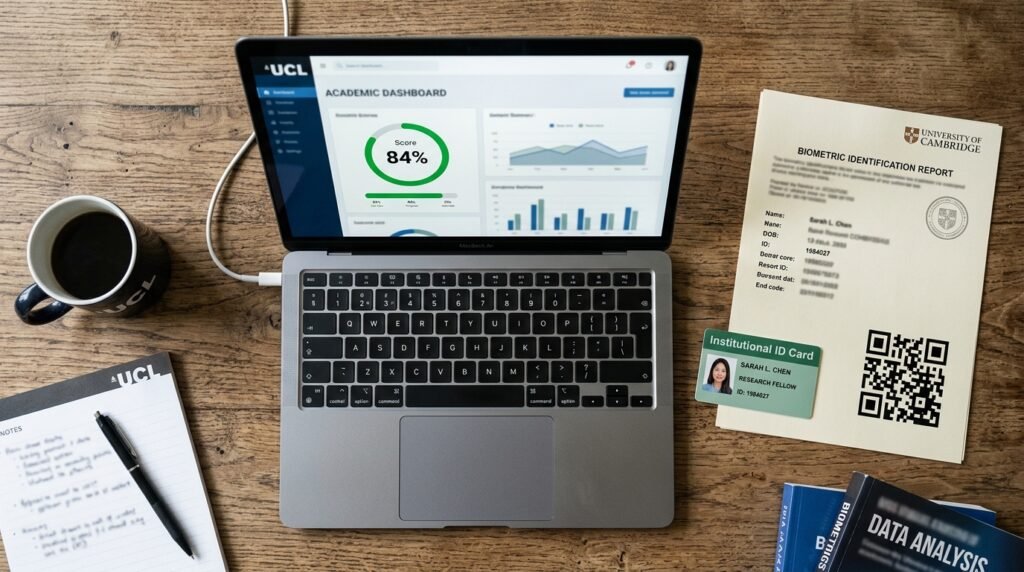
This is the document that actually carries weight with institutions. The original result slip contains your full name as registered, your registration number, your photograph, the exam year, your score in each subject, your total score out of 400, and a verification reference that schools can check against JAMB’s records.

Before you walk away from the printer or close the browser tab, go through your slip line by line:

  1. Check your name is spelled exactly as it appears on your original registration, not a shortened or auto-corrected version.
  2. Check the photograph is genuinely yours.
  3. Check your registration number matches the one on your original registration slip from before the exam.
  4. Add up your subject scores yourself and confirm the total matches what’s printed.
  5. Look for the verification reference and keep a record of it somewhere separate from the slip itself, in case the paper gets damaged or lost.

If anything here looks off, the safest move is to go back to the source rather than assume it’s a printing glitch. As one detailed walkthrough on the slip itself put it, if your result can’t be verified on the JAMB system, you go back to the official portal immediately and reprint directly rather than trying to patch the problem yourself.

The mismatch checklist

Run through this short list any time something doesn’t line up between your three sources.

  • Sender number on the SMS doesn’t read 55019 or 66019: treat the message as unverified.
  • Score on the printed slip differs from the score on the portal dashboard: stop and reprint from the official portal before doing anything else.
  • Registration number format looks unusual or doesn’t match your original registration documents: this is one of the exact details JAMB pointed to when it dismissed a viral fake slip, noting the number didn’t follow the Board’s system-generated pattern.
  • Someone sends you a result slip template through WhatsApp or a third-party website claiming to “generate” or “print” your result for a fee: this isn’t a real JAMB channel, and you should not pay for it or share your details with it.
  • A slip looks formatted differently from what JAMB normally issues, missing the official stamp or watermark, or showing a layout you haven’t seen elsewhere: that alone is a strong signal something is wrong, the same signal JAMB itself used when it called out a fabricated template circulating in April 2026.

What JAMB has actually said about fake results

This isn’t a hypothetical risk I’m raising to sound cautious. In April 2026, JAMB’s spokesperson Fabian Benjamin publicly addressed a slip claiming a 394 score, stating that the document didn’t reflect the Board’s official result format and that UTME results are strictly view-only, not meant for printing or circulation in the way the fake slip presented itself. He went further, noting that the registration number on the slip didn’t conform to JAMB’s system-generated format, which is exactly the kind of detail the mismatch checklist above asks you to look for in your own documents.

JAMB also confirmed something more serious that same month: two candidates and one parent were in custody for result falsification carried out using AI and other electronic means, according to the Board’s own statement. That’s not a vague warning. It tells you the fabrication problem is real enough that JAMB is treating it as a criminal matter, and that the people attempting it include candidates and parents, not just outside scammers.

If you’re ever tempted to “fix” a low score by editing a screenshot, or you’re offered a service that promises to upgrade your result for a fee, walk away. JAMB has stated there is no technical mechanism for a third party to upgrade a score once it has been processed, and anyone offering that service is running a scam.

My result-confidence scoring rubric

Use this short rubric to decide how much you can trust a result you’re looking at, whether it’s your own or one someone has shown you. Score one point for each condition that’s true, then check your total against the guide below.

  • The SMS came from 55019 or 66019 directly, visible in the sender field: 1 point
  • You logged into the portal yourself with your own credentials and the score matches the SMS: 1 point
  • The printed slip carries a verification reference and the official JAMB stamp or watermark: 1 point
  • Your name, photo, and registration number on the slip match your original registration documents exactly: 1 point
  • You did not receive this result through a forwarded screenshot, third-party website, or anyone claiming to print or generate it on your behalf: 1 point

Score of 5: You can treat this result as confirmed and move forward with it for admission purposes.

Score of 3 or 4: Go back and close the gap. Usually this means logging into the portal yourself or reprinting the slip directly from the official site rather than relying on someone else’s copy.

Score of 2 or below: Don’t act on this result yet. Recheck through the SMS and portal yourself before doing anything that depends on the number being correct.

What to do if your result still won’t show

Sometimes the issue isn’t on your end and isn’t a simple batch delay either. JAMB runs a dedicated complaint system for exactly this. You create a ticket through the JAMB Central Online Support System rather than travelling to a physical office, since JAMB has specifically asked candidates to use the ticketing platform instead. Support tickets are generally treated within a day or two, excluding weekends and holidays, according to JAMB’s own guidance on the system.

When you raise a ticket, have your registration number, the phone number you registered with, and a clear description of what you tried (SMS, portal, or both) ready to enter. Vague tickets take longer to resolve because support staff have to ask follow-up questions you could have answered upfront.

After you’ve confirmed your score

Once your three-point match checks out, your next real step is keeping that result usable. Print more than one copy of your slip, since institutions typically request it more than once during screening and admission, and a single copy that gets damaged or misplaced puts you back at the portal at an inconvenient time. Store your verification reference somewhere you’ll actually find it again, not just in your memory of where you put the slip.

Hold onto the original SMS too, even after you’ve printed the slip. If an institution ever questions your printed document, having the original message from 55019 or 66019 on the same phone line gives you a second, independent point of proof that doesn’t depend on the printer or the portal session that produced your slip.