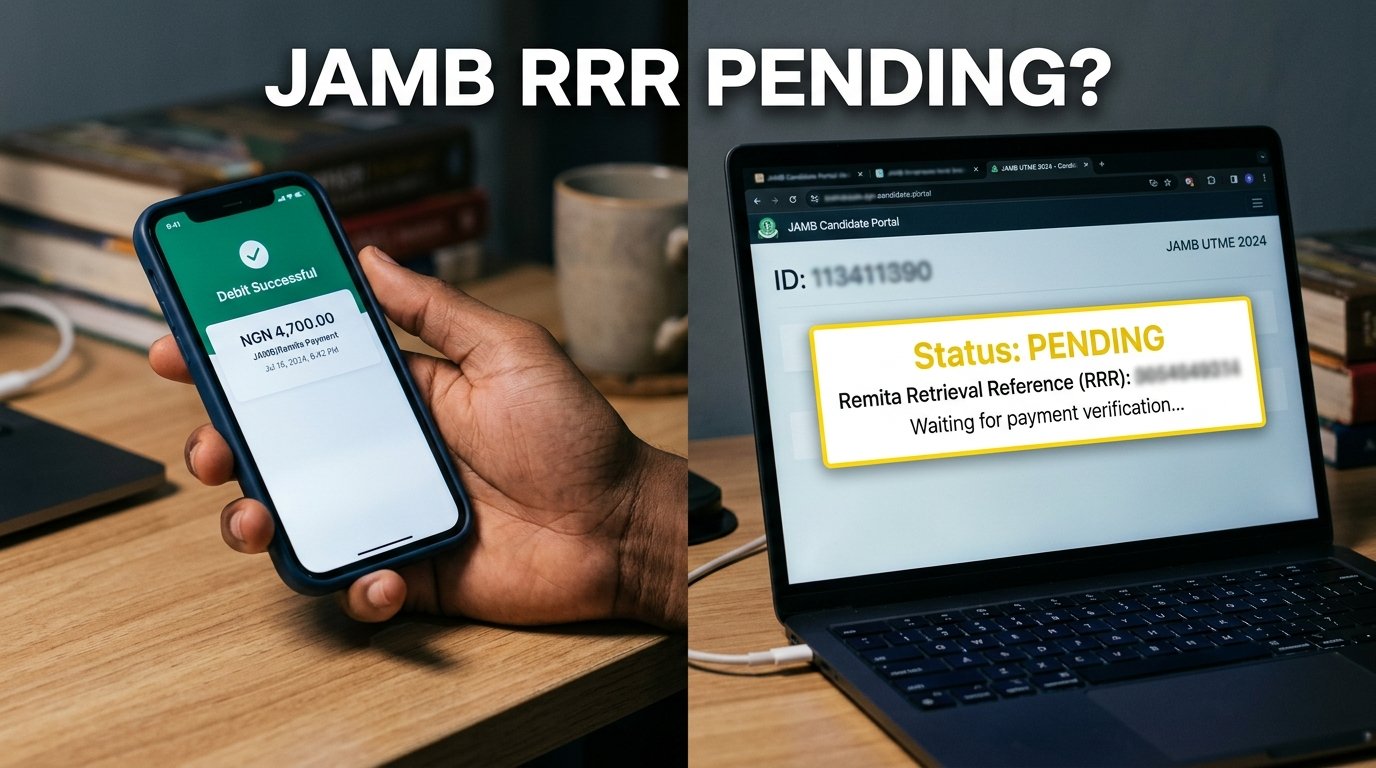
I sat with a candidate’s laptop open last registration cycle, refreshing the JAMB e-facility dashboard every few minutes, watching a payment that had already left her bank account refuse to show up on her profile. The bank app showed the debit. The JAMB portal showed nothing. That gap between “my money is gone” and “my portal says unpaid” is the exact problem this article fixes.
Key takeaways
- A debited bank account does not equal a confirmed JAMB payment. Money moves through Remita first, and Remita has to report back to JAMB before your profile updates.
- There are three transaction states you’ll see: initiated, pending, and confirmed. Each one tells you something different about where your money actually sits.
- You can re-query a stuck RRR yourself on the e-facility portal before you ever need to call anyone or pay again.
- Never generate a new RRR and pay again while an old one is still pending. That’s how candidates end up with two debits and one registration.
- If a payment stays unconfirmed for more than 48 hours after a bank-confirmed debit, that’s your signal to open a support ticket with specific reference numbers, not to keep refreshing the page.
The direct answer: what to do right now
If you paid and the JAMB portal still shows unpaid, don’t repeat the payment. Go to your JAMB e-facility profile, find the “My Payment” or payment history section, and look up the transaction tied to your RRR. If it shows pending, use the portal’s payment re-query option to force a fresh status check between JAMB and Remita. If it still shows pending or doesn’t show at all after that, gather your reference numbers and raise a support ticket. I’ll walk through every one of those steps below, including what the different status words actually mean and why this happens in the first place.
Why the money can leave your account before the portal updates
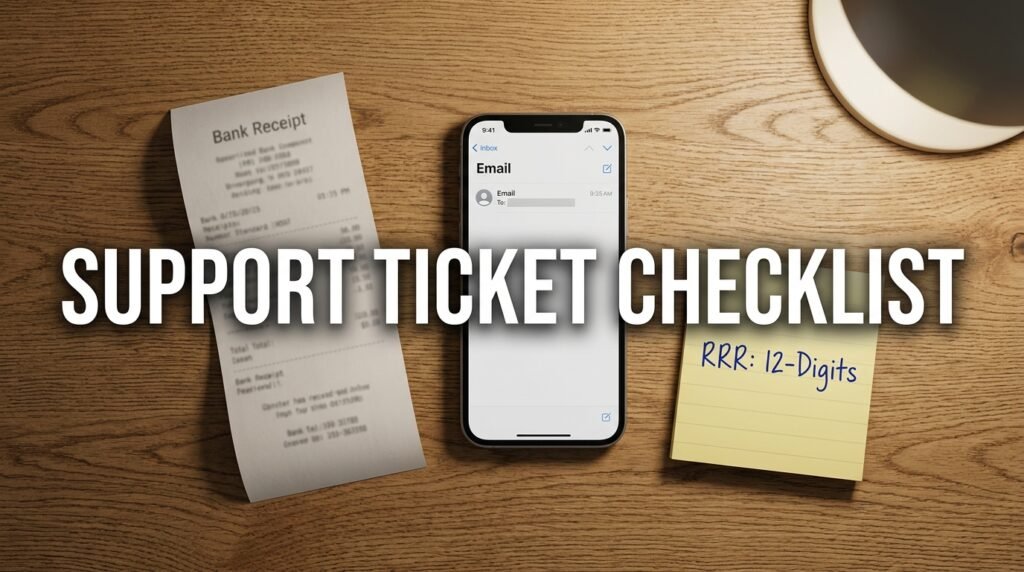
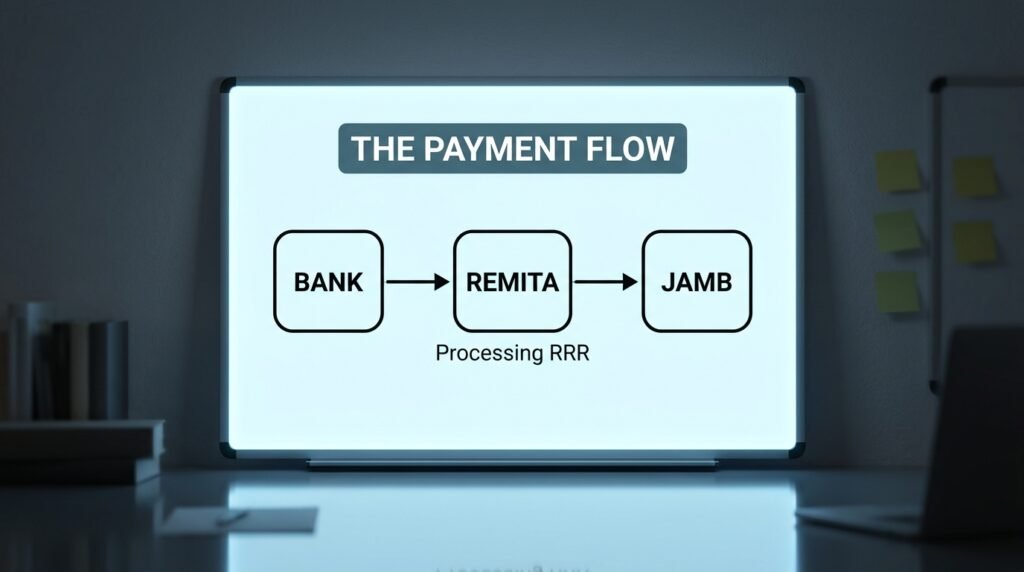
Here’s the part most guides skip. JAMB does not collect your money directly. When you pay for UTME registration, a result slip, an admission letter, or any other e-facility service, you’re paying through Remita, a separate payment platform owned by SystemSpecs that handles the actual bank transaction.
The sequence looks like this: you generate an RRR (Remita Retrieval Reference) on the JAMB portal, you pay against that RRR at a bank, on a card, or through a transfer app, then Remita has to confirm with your bank that the money cleared, and only after that does Remita send a confirmation signal back to JAMB’s system. Your JAMB profile updates based on that last signal, not based on your bank balance.
That means there are two separate systems that both have to agree before your profile shows “paid.” Your bank confirming the debit is step one. JAMB receiving Remita’s confirmation is step two. The lag between those two steps is where almost every “I paid but it’s not showing” complaint comes from.
Decoding the three payment states (the part nobody explains)
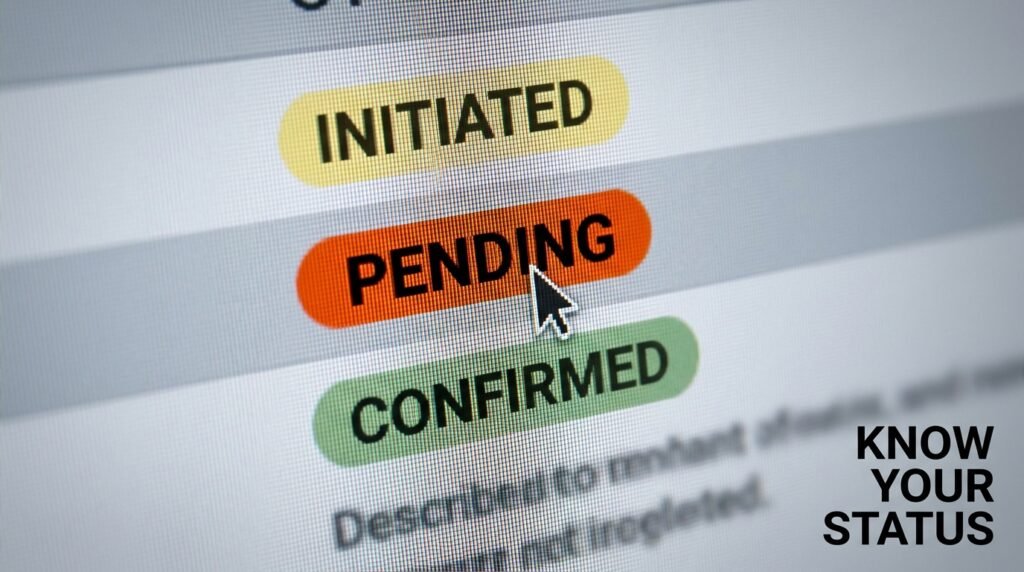
Every JAMB-linked Remita transaction sits in one of three states. Knowing which one you’re looking at tells you whether to wait, act, or worry.
| Status | What it actually means | What you should do |
|---|---|---|
| Initiated | You generated the RRR and started the payment process, but no confirmed transfer of funds has been recorded yet. This is the state right after you click “pay” but before your bank finishes the transaction. | Wait a few minutes, then refresh. If your bank already shows a debit and the status still says initiated after 15-20 minutes, move to checking pending status. |
| Pending | Your bank has processed the debit, but Remita hasn’t yet sent a final confirmation back to JAMB. The money is in transit between systems, not lost, but not yet matched to your registration either. | This is where you use the payment re-query tool, covered in the next section. Give it time before re-querying repeatedly, since rapid repeated checks don’t speed anything up. |
| Confirmed | Remita has told JAMB the payment cleared, and JAMB’s system has matched it to your RRR and profile. Your portal should now reflect the service you paid for. | Nothing to do here. If the service still doesn’t show despite a confirmed status, that’s a separate matching problem, not a payment problem, and it needs a support ticket. |
A pending status that sits unchanged for a day or two is the one that actually needs your attention. An initiated status that’s only a few minutes old usually just needs patience.
How to re-query a pending RRR yourself
JAMB’s e-facility portal has a query payment function built specifically for this. It exists because the board knows the Remita-to-JAMB handoff sometimes stalls, and it gives you a way to force a recheck instead of waiting on a system job to retry on its own schedule.
Here’s how I’d work through it:
- Log into your e-facility profile at efacility.jamb.gov.ng using the email and password tied to your JAMB registration.
- Locate the payment history section on your dashboard. It’s usually labeled “My Payment” and lists every RRR you’ve generated, along with its current status.
- Find the specific transaction in question and click through to its details. You’re looking for the RRR number to match exactly what’s on your bank receipt or alert.
- Use the portal’s query or re-query option, sometimes reached directly through the dedicated query payment page on the e-facility site, rather than only the listing page.
- Give the system a moment to run the check. This isn’t instant payment processing, it’s a status pull, so it should return an answer rather than make you wait the way the original payment did.
- Read the new status against the table above. If it flips to confirmed, you’re done. If it’s still pending, repeat once after a few hours rather than several times in a row.
A re-query doesn’t move money or create a new charge. It simply asks Remita’s system, “what’s the real status of this RRR,” and pulls that answer back into your JAMB profile. That’s why it’s safe to use even if you’re not sure anything is wrong yet.
The reference checklist you need before contacting support
If re-querying doesn’t resolve it, the next step is a support ticket, but a vague “my payment isn’t showing” ticket gets a vague reply. Support staff can only trace a transaction with the right reference data in front of them. Before you open a ticket, pull together every item on this list.
- Your JAMB registration number or profile email, whichever one your account uses to log in
- The full 12-digit RRR number tied to the specific transaction
- The exact amount paid, matched against the JAMB fee schedule for that service (registration, result slip, admission letter, and so on)
- The date and time of the transaction, taken from your bank alert or app, not from memory
- The payment channel you used: bank branch, ATM card, USSD, or mobile transfer app
- A screenshot or copy of your bank’s debit alert or transaction receipt
- The current status shown on your JAMB profile (initiated, pending, or confirmed) at the time you’re reporting it
Missing even one of these, especially the RRR, slows everything down because support then has to ask you for it before they can even start tracing the payment on Remita’s end.
Where to raise the issue once you have your reference data
JAMB runs its candidate support through an online ticketing system rather than just phone lines, though phone numbers are listed too. Once your checklist above is complete, submit a ticket through the official support portal at support.jamb.gov.ng and attach your reference data directly rather than describing it loosely in the message body. <table> <tr><th>Contact method</th><th>What it’s good for</th><th>What to bring</th></tr> <tr><td>Online ticket system (support.jamb.gov.ng)</td><td>Tracing a specific unreflected or stuck payment</td><td>RRR, registration number, amount, date, bank alert screenshot</td></tr> <tr><td>Phone lines listed on the JAMB payment and services page</td><td>Quick status questions when the portal itself is down</td><td>Registration number and RRR ready to read out</td></tr> <tr><td>Your bank’s customer service</td><td>Confirming the debit actually went through on the bank’s side, and getting an official transaction reference</td><td>Account details and approximate transaction time</td></tr> </table>
I’d start with the bank only if you genuinely can’t tell whether the debit happened at all. If your bank already shows the debit clearly, go straight to JAMB’s ticket system since that’s where the actual matching problem lives.
Common traps that turn a delay into a real problem
A short pending status isn’t a crisis. These mistakes are what actually cost candidates money and time.
Paying again before checking the status. This is the single most expensive mistake I see. A candidate sees “unpaid” on the portal, panics, generates a brand new RRR, and pays a second time, not realizing the first payment was sitting in pending. Now there are two debits and one service still needed. Reconciling a duplicate payment takes far longer than waiting out a normal pending status would have.
Re-querying every five minutes. Hammering the re-query button doesn’t make Remita’s confirmation arrive faster. The check pulls whatever status currently exists; it doesn’t push the transaction along. Space your checks out by a few hours instead of refreshing constantly.
Losing the RRR. Some candidates close the payment confirmation page without saving the RRR anywhere, then can’t reference the transaction at all when something goes wrong. Always screenshot or write down the RRR the moment it’s generated, before you even pay.
Assuming a bank debit alert means JAMB has it too. The two systems are separate, and a debit alert from your bank only confirms half the journey, not the JAMB-side match.
Giving up after one failed re-query. A single pending result doesn’t mean the payment failed. It means the handoff hadn’t completed yet at that exact moment you checked.
A simple decision path: should you wait, re-query, or escalate
Use this short flow whenever your profile and your bank account disagree with each other.
- Bank shows no debit yet, portal shows initiated: wait. The transaction likely hasn’t finished processing on the bank’s side.
- Bank shows a debit, portal shows pending, less than a few hours have passed: wait a little longer, then re-query once.
- Bank shows a debit, portal still shows pending after re-querying and several hours have passed: gather your reference checklist and submit a support ticket.
- Bank shows a debit, portal shows confirmed, but the actual service (slip, letter, registration) still isn’t unlocked: this is a separate matching issue, not a payment issue, and also needs a ticket, but mention the confirmed status explicitly so support knows the money side is settled.
- Bank shows no debit and the portal shows nothing at all: the payment likely never went through. It’s safe to generate a fresh RRR and try again.
That last branch is the only one where paying again makes sense. Every other branch means the money is somewhere in the system already, and a second payment just adds a second problem on top of the first.
Why this matters more during peak registration weeks
Transaction volume spikes hard in the days right before a registration deadline, and that’s exactly when pending statuses take longer to clear, since Remita and JAMB’s systems are both processing far more transactions per minute than usual. I’d build in a buffer of at least two or three days before any deadline specifically so a pending payment has room to resolve itself without you racing a clock at the same time. Paying at the last possible hour turns a normal one-day pending delay into a genuine emergency.
If you’re already up against a tight deadline and stuck in pending, say that explicitly in your support ticket. Mention the deadline date alongside your reference checklist, since that context can affect how the issue gets prioritized on JAMB’s end.
Check your e-facility profile’s payment history page first, before anything else, the next time a payment looks stuck.

Amakor Vitalis has 9 years of direct experience in Nigerian examination and admission logistics, with a specific focus on JAMB UTME processes — registration sequencing, CBT centre allocation, and result verification. He has worked with over 340 candidates navigating the JAMB portal, and has tracked policy and system changes across the 2019–2026 UTME cycles using JAMB’s official brochures, the JAMB Regularization portal, and the CAPS (Central Admissions Processing System) platform.