Best Courses to Study in Nigeria for High-Paying Jobs

Choosing the right university course is one of the most important decisions you’ll make after secondary school. The best courses to study in Nigeria are those that align with your interests while offering strong career opportunities, long-term job security, and competitive salaries. As industries continue to evolve in 2026, Nigerian universities are preparing graduates for careers in healthcare, technology, engineering, finance, education, and other growing sectors.

Whether you’re preparing for WAEC or JAMB, exploring admission options, or comparing degree programs, this guide highlights the best university courses in Nigeria, their career prospects, and what makes them valuable in today’s job market.

Why Choosing the Right Course Matters

I can comfortably tell you that selecting a university course isn’t only about gaining admission. It shapes your future career, earning potential, and opportunities for professional growth. While passion is important, it should be balanced with market demand, graduate employability, and industry trends.

Before making your decision, consider:

  • Employment opportunities after graduation
  • Salary expectations
  • Admission requirements
  • Professional accreditation
  • Career flexibility
  • Opportunities for postgraduate study
  • International career prospects

Students should also research Nigerian labour market trends rather than relying solely on popular opinions or social media recommendations.

If you’re still unsure about your decision, our guide on choosing the right university course can help you compare your interests, strengths, and long-term career goals before applying.

Top 20 Best Courses to Study in Nigeria

The following courses continue to offer excellent career opportunities across both public and private sectors.

Course Job Demand Career Growth
Medicine and Surgery Very High Excellent
Nursing Very High Excellent
Computer Science Very High Excellent
Pharmacy High Excellent
Dentistry High Excellent
Law High Very Good
Civil Engineering High Very Good
Mechanical Engineering High Very Good
Electrical Engineering High Excellent
Petroleum Engineering Moderate-High Excellent
Accounting High Excellent
Economics High Very Good
Data Science Very High Excellent
Cybersecurity Very High Excellent
Information Technology Very High Excellent
Agricultural Science Growing Excellent
Architecture High Good
Medical Laboratory Science High Excellent
Radiography High Excellent
Business Administration High Very Good


Medicine and Surgery

Medicine remains one of the best degree courses in Nigeria because of its high demand, professional reputation, and long-term earning potential.

Career Opportunities

Graduates can work as:

Medical doctors

  • Hospital consultants
  • Public health specialists
  • Medical researchers
  • Healthcare administrators

Although admission is highly competitive and the program requires significant commitment, the profession offers excellent career stability both within Nigeria and abroad.

Computer Science

Computer Science has become one of the fastest-growing university courses due to the expansion of digital businesses and artificial intelligence.

Why It Is in High Demand

Graduates can pursue careers in:

  • Software development
  • Artificial intelligence
  • Cloud computing
  • Cybersecurity
  • Data science
  • Mobile application development
  • Remote technology jobs

Many employers now value practical programming skills alongside academic qualifications, making internships and portfolio projects especially valuable.

Nursing

Healthcare professionals continue to be needed across hospitals, clinics, and international healthcare systems.

Career Advantages

Nursing offers:

  • Strong local employment
  • International migration opportunities
  • Career progression into specialized fields
  • Competitive salaries
  • Opportunities for postgraduate education

As healthcare demand continues to rise, Nursing remains one of the best courses for employment in Nigeria.

Highest Paying Courses in Nigeria

Salary should never be the only reason for choosing a degree, but understanding earning potential can help students make informed decisions.

Some of the courses with the highest salary include:

  1. Medicine and Surgery
  2. Petroleum Engineering
  3. Dentistry
  4. Pharmacy
  5. Computer Science
  6. Data Science
  7. Law
  8. Cybersecurity
  9. Electrical Engineering
  10. Accounting

Keep in mind that factors such as experience, industry, employer, location, and professional certifications significantly influence income.

Courses with the Most Job Opportunities

Students frequently ask, “Which course has the most job opportunities in Nigeria?” While no degree guarantees employment, several fields consistently show strong demand.

These include:

  • Healthcare professions
  • Information Technology
  • Computer Science
  • Engineering
  • Accounting and Finance
  • Agriculture
  • Education
  • Digital Marketing
  • Data Analytics
  • Renewable Energy

Graduates who combine technical expertise with communication, problem-solving, teamwork, and digital skills are generally more competitive in today’s job market.

Most In-Demand Courses in Nigeria (2026)

As technology and the economy continue to evolve, employers are looking for graduates with practical, adaptable skills. The most in-demand courses in Nigeria in 2026 are those aligned with growing industries and long-term workforce needs.

Top Growth Areas

  • Computer Science and Software Engineering
  • Cybersecurity
  • Data Science and Artificial Intelligence
  • Nursing and Medical Laboratory Science
  • Pharmacy
  • Renewable Energy Engineering
  • Agricultural Science and Agribusiness
  • Accounting and Financial Technology (FinTech)
  • Digital Marketing
  • Environmental Science

These fields combine strong employment prospects with opportunities for entrepreneurship, remote work, and international careers.

Best Courses for the Future

Many students ask, “Which course is best for the future?” The answer depends on your interests, but future-proof careers are built around innovation, healthcare, sustainability, and digital transformation.

When evaluating a degree, consider whether it:

  • Solves real-world problems
  • Adapts to technological change
  • Offers continuous learning opportunities
  • Has strong local and global demand
  • Provides multiple career pathways

Medicine, Computer Science, Cybersecurity, Data Science, Nursing, Engineering, and Agricultural Technology are among the strongest long-term choices.

Nigerian Job Market Trends Every Student Should Know

Choosing a degree based only on popularity can be risky. Instead, pay attention to where the labour market is heading.

Current trends include:

  • Increased demand for digital and technology professionals
  • Continued growth in healthcare services
  • Expansion of FinTech and digital banking
  • Rising investment in agriculture and food security
  • Greater focus on renewable energy and environmental sustainability

Employers also value transferable skills such as communication, leadership, critical thinking, teamwork, and digital literacy. These skills can improve graduate employability regardless of your chosen field.

Key takeaway: A valuable degree combined with practical skills and experience offers the best chance of long-term career success.

Common Mistakes Students Make When Choosing a Course

Avoid these common pitfalls when selecting a university program:

  • Choosing a course solely because it is popular
  • Focusing only on salary without considering personal strengths
  • Ignoring admission requirements and subject combinations
  • Following family or peer pressure instead of career goals
  • Overlooking internship and professional certification opportunities
  • Assuming every graduate from the same course earns the same income

Researching career prospects before applying can save years of frustration later.

How to Choose the Right Course

If you’re unsure which path to take, use these practical steps:

  1. Identify your interests and strengths.
  2. Research industries with growing demand.
  3. Compare admission requirements for Nigerian universities.
  4. Consider tuition costs and available scholarships.
  5. If affordability is one of your biggest concerns, comparing affordable universities in Nigeria can help you find quality education that fits your budget.
  6. Explore potential career paths and salary expectations.
  7. Speak with career counselors, lecturers, or professionals in your preferred field.
  8. Choose a degree that balances passion with employment opportunities.

A thoughtful decision today can lead to greater job satisfaction and long-term career growth.

FAQ’s

Q: Which course has the most job opportunities?

Healthcare-related degrees, Computer Science, Engineering, Accounting, and Education consistently offer strong employment opportunities. Graduates who gain practical experience through internships, certifications, or industrial training are often more competitive in the job market.

Q: What are the top 20 highest paid courses in Nigeria?

Some of the highest-paying fields include Medicine and Surgery, Dentistry, Pharmacy, Petroleum Engineering, Computer Science, Cybersecurity, Data Science, Law, Electrical Engineering, Accounting, Mechanical Engineering, Civil Engineering, Medical Laboratory Science, Nursing, Architecture, Economics, Radiography, Information Technology, Business Administration, and Agricultural Engineering. Earnings vary by experience, specialization, and employer.

Q: Which course is best for the future?

Courses related to technology, healthcare, engineering, renewable energy, and artificial intelligence offer excellent long-term prospects. These industries continue to expand and are expected to create new career opportunities over the coming years.

Q: Which course is in demand in 2026?

Computer Science, Cybersecurity, Data Science, Nursing, Pharmacy, Medical Laboratory Science, Agricultural Technology, FinTech, Renewable Energy Engineering, and Digital Marketing are among the most in-demand courses in Nigeria in 2026.

Q: Which course is best to get a job immediately?

No course guarantees immediate employment. However, Nursing, Medical Laboratory Science, Computer Science, Accounting, and Education often provide quicker pathways into the workforce, especially when graduates have practical experience and relevant certifications.

Q: Which course has international career opportunities?

Medicine, Nursing, Pharmacy, Computer Science, Engineering, Accounting, and Data Science are widely recognized internationally. Graduates may need additional licensing or professional certification depending on the country where they intend to work.

Q: Which course is best for entrepreneurship?

Business Administration, Computer Science, Agriculture, Marketing, Economics, and Information Technology provide strong foundations for starting a business. These programs help students develop problem-solving, financial management, and innovation skills.

Q: Which course offers remote work opportunities?

Technology-focused degrees such as Computer Science, Software Engineering, Cybersecurity, Data Science, Information Technology, and Digital Marketing offer some of the best opportunities for remote and freelance work in today’s global economy.

Conclusion

Choosing among the best courses to study in Nigeria is about more than selecting a popular degree. The right course should align with your interests, career goals, and the realities of the evolving job market.

While Medicine, Nursing, Computer Science, Engineering, Pharmacy, Law, and Accounting remain excellent choices, success ultimately depends on continuous learning, practical experience, and developing skills that employers value. Before making your final decision, research admission requirements, compare universities, explore available scholarships, and understand the career opportunities each program offers. A well-informed choice today can lay the foundation for a rewarding and future-ready career.

Cheapest Universities in Nigeria: Affordable Tuition Guide
Cheapest Universities in Nigeria with the Most Affordable Tuition Fee

Higher education can be expensive, but earning a quality degree doesn’t always require a large budget. If you’re searching for the cheapest universities in Nigeria, you’ll find several federal and state institutions that offer accredited academic programs at relatively affordable tuition rates.

For many students, choosing a university isn’t just about finding the lowest school fees. Factors like accommodation costs, admission requirements, scholarship opportunities, and the institution’s reputation also play an important role. Understanding these expenses before applying can help you plan your education budget and avoid unexpected costs.

This guide compares some of Nigeria’s most affordable universities, explains what influences tuition fees, highlights additional expenses to expect, and shares practical tips to help you make an informed decision.

Why Study at an Affordable University in Nigeria?

Choosing a budget-friendly university doesn’t mean sacrificing educational quality. Many public universities accredited by the National Universities Commission (NUC) offer respected undergraduate and postgraduate programs at significantly lower tuition costs than most private institutions.

Affordable universities are a practical choice for:

  • Students from low-income families
  • Parents managing education expenses for multiple children
  • Students planning to pursue postgraduate studies later
  • International students looking for cost-effective education in Africa

Besides lower tuition fees, many public universities have experienced lecturers, established research facilities, and recognized degrees accepted by employers across Nigeria and beyond.

What Affects University Costs in Nigeria?

School fees vary from one institution to another because several factors influence the overall cost of studying.

Type of University

Generally, federal universities charge lower tuition fees because they receive government funding. State universities can also be affordable, although fees often differ for residents and non-residents. Private universities usually have the highest tuition due to private funding and additional facilities.

Course of Study

Programs such as Medicine, Pharmacy, Engineering, and Laboratory Sciences usually cost more than courses in Arts, Education, or Social Sciences because they require specialized equipment and laboratory resources.

Student Status

Some universities charge different fees for:

  • Fresh and returning students
  • Undergraduate and postgraduate students
  • International applicants
  • Indigenes and non-indigenes

Additional Charges

Tuition is only one part of the total education cost. Students should also budget for:

  • Acceptance fees
  • Hostel accommodation
  • Departmental fees
  • Registration charges
  • Laboratory fees
  • Examination fees
  • Student union dues
  • Books and learning materials

These expenses can significantly increase first-year costs.

Cheapest Universities in Nigeria (2026)

While tuition fees are reviewed periodically, the universities below are widely recognized for offering affordable education compared with many other institutions.

University Type Typical Tuition Range* Popular Programs
Ahmadu Bello University Federal Low Engineering, Medicine, Agriculture
University of Ibadan Federal Low to Moderate Medicine, Arts, Sciences
Bayero University Federal Low Engineering, Business, Law
University of Nigeria Federal Low to Moderate Social Sciences, Medicine, Agriculture
Federal University of Technology Minna Federal Low Engineering, Computing, Technology
University of Benin Federal Moderate Medicine, Education, Engineering

Tuition fees vary by course, student status, and academic session. Always confirm the latest figures through the university’s official website before applying.

Federal Universities with Low Tuition Fees

Federal universities remain the first choice for many Nigerian students because government support helps keep tuition relatively affordable while maintaining academic standards.

Ahmadu Bello University (ABU)

Located in Zaria, Ahmadu Bello University is among Nigeria’s largest and most respected institutions. It offers hundreds of undergraduate and postgraduate programs across multiple faculties.

Students often choose ABU because of:

  • Affordable tuition
  • Wide course selection
  • Strong engineering and agricultural programs
  • Established research facilities

Although tuition is comparatively low, students should still budget for accommodation, registration, and departmental charges.

University of Ibadan (UI)

As Nigeria’s oldest university, the University of Ibadan combines academic excellence with relatively affordable education.

Popular faculties include:

Competition for admission can be high, so meeting the required JAMB score and WAEC requirements is essential.

Bayero University Kano (BUK)

Bayero University Kano consistently ranks among the best affordable universities in Nigeria. It offers quality education across science, technology, business, and law disciplines.

Its strengths include:

  • Competitive tuition fees
  • Modern learning facilities
  • Diverse academic programs
  • Strong reputation among employers

For students looking for value without paying premium private university fees, BUK remains an attractive option.

Federal University of Technology Minna (FUT Minna)

Students interested in engineering, technology, computing, and applied sciences frequently consider Federal University of Technology Minna because of its specialized academic focus.

FUT Minna offers:

  • Affordable engineering programs
  • Strong research culture
  • Industry-focused curriculum
  • Good graduate employability

Technology-related degrees may include additional laboratory or practical fees, so applicants should review the complete fee schedule before applying.

State Universities That Offer Great Value

Federal universities are not the only affordable option. Several state universities also provide quality education at competitive rates, especially for students who qualify for resident tuition.

When comparing state universities, don’t focus only on school fees. Consider:

  • Accreditation status
  • Graduate employability
  • Course availability
  • Campus facilities
  • Location
  • Living expenses
  • Student support services

Sometimes a university with slightly higher tuition may offer lower accommodation costs or scholarship opportunities, making the total annual expense more affordable.

Understanding the Total Cost of Studying

One of the biggest mistakes applicants make is comparing universities based only on tuition fees. Your first-year education budget should include every expected expense.

Typical costs may include:

  • Tuition fees
  • Acceptance fee
  • Hostel accommodation
  • Departmental registration
  • Medical screening
  • Student ID card
  • Learning materials
  • Transportation
  • Personal living expenses

Looking at the complete annual cost—not just tuition—provides a more accurate picture of which university offers the best value for your budget.

Hidden Costs Students Should Know

Tuition fees are only one part of the financial commitment. Many students underestimate additional charges, which can make the first year significantly more expensive than expected.

Some common expenses include:

Acceptance fee: A one-time payment required after receiving an admission offer.

Hostel accommodation: Costs vary depending on whether you choose on-campus or off-campus housing.

Faculty and departmental fees: Certain departments charge extra for practical sessions, laboratory work, or field trips.

Medical screening and registration: New students often pay for health checks and administrative registration.

Books and study materials: Depending on your course, textbooks, software, and lab manuals can add to your budget.

Transportation and personal expenses: Daily commuting, meals, internet access, and other living costs should also be included in your financial plan.

Creating a realistic budget before accepting admission can help you avoid unexpected financial pressure during the academic year.

Scholarships and Financial Aid

If paying university fees is a challenge, scholarships and financial aid can make higher education more accessible. If you need additional financial support, understanding the NELFUND student loan application process can help you secure funding for tuition and other education-related expenses.

Depending on your eligibility, you may qualify for:

  • Merit-based scholarships
  • Need-based financial aid
  • Federal and state government scholarship programs
  • Private foundation scholarships
  • Corporate sponsorships
  • Departmental awards

Some universities also provide flexible tuition payment schedules or limited financial assistance for students facing hardship. It’s worth checking the university’s scholarship office and official announcements regularly, as many opportunities have specific application deadlines.

Admission Requirements

Before applying to any affordable university in Nigeria, ensure you meet the institution’s admission requirements.

Although requirements vary, most universities expect applicants to have:

  • A valid WAEC, NECO, or equivalent qualification with the required subject combinations.
  • An acceptable JAMB score that meets or exceeds the university’s cut-off mark.
  • The required documents for admission screening or post-UTME (where applicable).
  • Any additional departmental requirements for competitive courses such as Medicine, Law, or Engineering.

Meeting the minimum requirements does not always guarantee admission, especially for highly competitive programs.

If you’re still undecided, it’s worth learning how to find the right university course based on your interests, strengths, and long-term career goals before submitting your application.

Federal vs. State vs. Private Universities

Understanding the differences between university types can help you choose the option that best fits your budget and academic goals.

Type Advantages Considerations
Federal Universities Lower tuition, strong reputation, wide course selection Highly competitive admissions
State Universities Affordable, especially for state indigenes Fees may be higher for non-indigenes
Private Universities Modern facilities, smaller class sizes, faster academic calendars Higher tuition and living costs

For students prioritizing affordability, federal universities generally offer the best value. However, a well-chosen state university may provide similar academic quality with lower overall living expenses, depending on its location.

Can International Students Study Affordably in Nigeria?

Yes. Nigeria can be an affordable study destination for international students compared with many countries in Europe or North America.

However, international applicants should consider more than tuition fees. Additional expenses may include:

  • Student visa and immigration costs
  • Health insurance
  • Accommodation
  • Travel expenses
  • Currency exchange fluctuations

Before applying, verify the admission requirements and tuition structure for international students directly through the university’s official website, as these may differ from those for domestic applicants.

Tips to Reduce Your Education Costs

Choosing one of the cheapest universities in Nigeria is only the first step. Smart financial planning can further reduce your overall expenses.

Here are some practical ways to save money:

  1. Apply for scholarships as early as possible.
  2. Compare the total annual cost instead of tuition alone.
  3. Consider universities with affordable hostel accommodation.
  4. Buy used textbooks or access digital learning resources where available.
  5. Plan your monthly budget before the academic session begins.
  6. Monitor official university announcements for fee updates and payment deadlines.
  7. Apply early to avoid late registration penalties.

Small savings in accommodation, transportation, and study materials can make a significant difference over the course of your degree.

How to Choose the Right Affordable University

The cheapest option isn’t always the best choice. Instead, compare universities based on overall value.

Before making your decision, consider:

  • Accreditation by the National Universities Commission (NUC)
  • Tuition and additional fees
  • Available academic programs
  • Graduate employment prospects
  • Campus facilities
  • Scholarship opportunities
  • Cost of living in the university’s location
  • Student support services
  • Internship and career development opportunities

Taking time to compare these factors can help you select a university that fits both your budget and your long-term career goals.

FAQ’s

Q: Which university has the lowest tuition fees in Nigeria?

Several federal universities are known for offering relatively low tuition fees, including Ahmadu Bello University, Bayero University, and the Federal University of Technology Minna. Actual fees vary by program and academic session, so always confirm the latest information through the university’s official website.

Q: Is tuition free in Nigeria?

No. Most universities charge tuition or other mandatory fees. However, federal universities are generally more affordable than private institutions, and scholarships or financial aid can help reduce education costs.

Q: Are affordable universities in Nigeria accredited?

Yes. Many low-cost universities are fully accredited by the National Universities Commission (NUC) and offer degrees recognized throughout Nigeria and internationally.

Q: Which federal university is the most affordable?

There is no single answer because tuition varies by course and student category. However, institutions such as Ahmadu Bello University, Bayero University, and Federal University of Technology Minna are frequently recognized for their affordable fee structures.

Q: What other costs should students expect?

In addition to tuition, students should budget for acceptance fees, accommodation, registration charges, departmental fees, books, transportation, and personal living expenses.

Q: Can international students apply to Nigerian universities?

Yes. Many Nigerian universities accept international students. Applicants should review the institution’s admission requirements, tuition policies, and immigration guidelines before applying.

Q: Are scholarships available for affordable universities?

Yes. Federal and state governments, universities, private organizations, and charitable foundations offer scholarships and financial aid to eligible students. Requirements and application deadlines vary by program.

Q: How much does it cost to study in Nigeria?

The total cost depends on the university, course, accommodation, and personal lifestyle. While tuition at many public universities remains relatively affordable, students should also account for living expenses and other academic fees when planning their budget.

Conclusion

Finding the cheapest universities in Nigeria is about more than identifying the institution with the lowest tuition fees. A smart decision considers the total cost of studying, including accommodation, acceptance fees, learning materials, and everyday living expenses.

Federal universities generally provide the best balance between affordability and academic quality, while some state universities also offer excellent value for eligible students. Before applying, compare tuition, review admission requirements, explore scholarship opportunities, and verify the latest fee schedule through the university’s official website. With careful planning and thorough research, you can earn a respected degree without placing unnecessary strain on your finances.

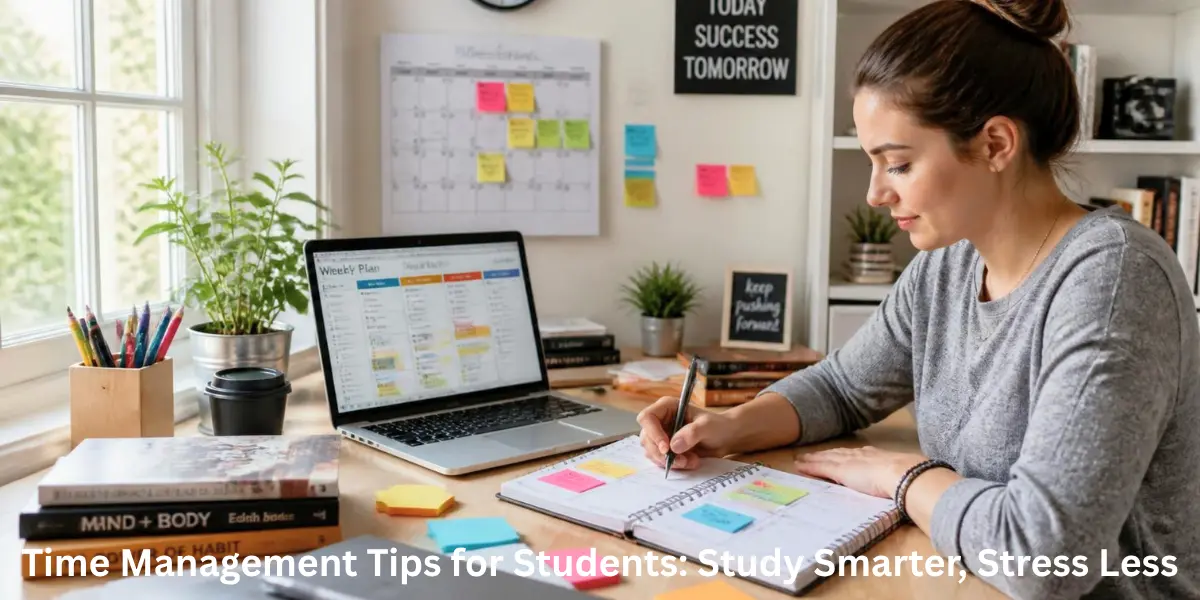
Time Management Tips for Students: Study Smarter, Stress Less

No student plans to miss deadlines, cram the night before an exam, or feel overwhelmed by assignments. Yet, these situations are common because managing time is often harder than understanding the coursework itself. Whether you’re preparing for WAEC, JAMB, Post-UTME, university exams, or applying for scholarships in Nigeria, learning how to manage your time effectively and using the effective study techniques for exams can make a significant difference in your academic performance.

The good news is that effective time management isn’t about filling every hour with study sessions. It’s about making smart decisions with the time you already have. Throughout the years, I’ve noticed that the highest-performing students aren’t always the ones studying the longest. Instead, they’re usually the ones who follow simple routines, prioritize important tasks, and remain consistent even during busy weeks.

This guide covers practical, proven strategies that will help you stay organized, reduce stress, and build study habits that last.

Why Time Management Matters for Students

Time management is the ability to plan, organize, and use your time wisely to achieve specific goals. For students, it means balancing lectures, assignments, revision, extracurricular activities, and personal responsibilities without feeling constantly overwhelmed.

Good time management offers several benefits:

  • Improves academic performance
  • Reduces exam stress and anxiety
  • Helps meet assignment deadlines
  • Creates a better study-life balance
  • Builds discipline and consistency
  • Prevents last-minute cramming
  • Leaves more time for hobbies and rest

When you manage your time well, you spend less energy worrying about unfinished work and more energy focusing on learning.

Common Time Management Challenges

Most students struggle with similar problems, including:

  • Procrastinating until deadlines are close
  • Spending excessive time on social media.
  • Trying to multitask during study sessions
  • Creating unrealistic study schedules
  • Losing focus after a short period
  • Balancing academics with part-time work or family responsibilities

Recognizing these challenges is the first step toward overcoming them.

The 5 P’s of Time Management Explained

A simple framework that many successful students follow is the 5 P’s of Time Management.

  1. Plan

Start every week by writing down upcoming lectures, assignments, quizzes, exams, and personal commitments.

Using a planner or digital calendar gives you a clear picture of your workload before it becomes overwhelming.

  1. Prioritize

Not all tasks deserve the same level of attention.

A useful method is the Eisenhower Matrix, which helps you separate urgent tasks from those that can wait.

Task Type Action
Urgent and important Complete immediately
Important but not urgent Schedule it
Urgent but less important Delegate if possible
Neither Remove or postpone

For instance, preparing for tomorrow’s exam should take priority over organizing old class notes.

  1. Prepare

Before studying, gather everything you need.

This might include:

  • Textbooks
  • Lecture notes
  • Laptop
  • Calculator
  • Water bottle
  • Internet connection if required

A prepared study space minimizes interruptions and helps you stay focused.

  1. Perform

Once your study session begins, concentrate on one task at a time.

Many students believe multitasking saves time, but it usually reduces concentration and increases mistakes. Focused work almost always produces better results.

  1. Persist

Consistency is more valuable than perfection.

Missing one study session doesn’t ruin your progress. What matters is returning to your routine instead of abandoning it altogether.

The Five Principles of Effective Time Management

While the 5 P’s provide a practical framework, long-term academic success depends on following several core principles.

Set Clear Goals

Avoid vague goals like:

“I’ll study Biology today.”

Instead, create measurable objectives such as:

“Complete Chapter 5, summarize key concepts, and answer 20 practice questions.”

Using smart goals makes your study sessions more purposeful because every session has a clear outcome.

Plan Before You Study

Many students waste valuable time deciding what to study after sitting at their desks.

Spend five to ten minutes every evening preparing the next day’s schedule. This small habit removes uncertainty and makes it much easier to start studying.

Prioritize High-Impact Tasks

The Pareto Principle (80/20 Rule) suggests that a small percentage of your efforts often produces the majority of your results.

For students, that means focusing first on activities such as:

  • Reviewing topics frequently tested in exams
  • Completing assignments with the highest marks
  • Practicing past examination questions
  • Strengthening weaker subjects

This strategy is especially valuable during WAEC, JAMB, or university examination periods when study time is limited.

Build Consistent Habits

One lesson I’ve learned from observing high-achieving students is that they rarely depend on motivation.

A classmate during university wasn’t known as the smartest student, yet he consistently ranked among the top performers. His advantage wasn’t extraordinary intelligence—it was consistency. Every evening, regardless of how busy he was, he spent about an hour reviewing lecture notes. Pairing a consistent routine with proven strategies for preparing for exams can make revision more efficient and help you retain information for longer.

These small daily efforts are also the foundation of effective study habits that support long-term academic success.

Review and Improve

Your study schedule shouldn’t remain the same throughout the semester.

Review your progress every week by asking:

  • Which tasks took longer than expected?
  • What distracted me most?
  • Which study methods worked well?
  • What should I change next week?

Making small adjustments regularly keeps your routine realistic and sustainable.

10 Proven Time Management Techniques for Students

Different methods work for different learners, but the following techniques have consistently helped students improve focus and productivity.

  1. Use the Pomodoro Technique

Study for 25 minutes, then take a 5-minute break. After four study sessions, take a longer break of 20 to 30 minutes.

This technique helps maintain concentration while preventing mental fatigue.

  1. Try Time Blocking

Instead of keeping a simple to-do list, assign a specific time to each activity.

For example:

Time Activity
8:00–9:00 AM Mathematics revision
9:15–10:15 AM Assignment writing
10:30–11:15 AM Practice questions
11:30–12:00 PM Review notes

Time blocking removes the guesswork because every hour already has a defined purpose.

  1. Apply Parkinson’s Law

Parkinson’s Law states that work expands to fill the time available.

If you give yourself an entire day to complete an assignment that only requires two hours, you’ll likely spend most of the day on it.

Instead, set shorter, realistic deadlines. You’ll often complete tasks faster without sacrificing quality.

  1. Break Large Tasks into Smaller Steps

Big assignments often feel intimidating because they seem impossible to finish. Instead of trying to complete everything at once, divide the work into smaller, manageable tasks.

For example:

  • Research the topic
  • Create an outline
  • Write the first draft
  • Edit and proofread
  • Submit before the deadline

Completing one small task at a time builds momentum and makes steady progress much easier.

  1. Remove Distractions

Distractions can quickly derail even the best study plan. During study sessions:

  • Turn off unnecessary notifications.
  • Keep your phone out of reach.
  • Study in a quiet environment such as a library.
  • Let family or roommates know when you need uninterrupted time.

If staying away from your phone is difficult, apps like Forest App can help you stay focused.

  1. Use Productivity Tools

The right tools won’t replace discipline, but they can help you stay organized.

Tool Best Use
Google Calendar Schedule classes, exams, and deadlines
Notion Organize notes and study plans
Todoist Manage daily tasks
Microsoft To Do Create simple checklists
Trello Track assignments and group projects
Forest App Reduce phone distractions

Choose one or two tools rather than switching between multiple apps.

  1. Review Your Progress Weekly

Spend a few minutes every weekend evaluating your progress.

Ask yourself:

  • Did I meet my study goals?
  • Which subjects need more attention?
  • What distracted me this week?
  • How can I improve next week?

Regular reviews help you adjust your routine before small problems become bigger ones.

  1. Learn to Say No

Students often take on too many responsibilities, leaving little time for studying.

It’s okay to decline unnecessary commitments, especially during exam periods. Protecting your study time is an investment in your future.

  1. Schedule Rest and Exercise

Studying for long hours without breaks often leads to burnout.

Make time for:

  • Short breaks
  • Physical activity
  • Healthy meals
  • Quality sleep

A well-rested mind learns and remembers information more effectively than an exhausted one.

  1. Stay Consistent

The most successful students aren’t perfect—they’re consistent.

Some days won’t go as planned, and that’s normal. Instead of giving up after missing one study session, simply return to your routine the next day.

How to Create a Realistic Study Schedule

A study timetable should fit your daily routine rather than forcing you into an unrealistic schedule.

Here’s an example for a university student.

Time Activity
7:00–8:00 AM Morning routine and breakfast
8:00–12:00 PM Classes or lectures
12:00–1:00 PM Lunch
1:00–2:30 PM Assignment or project work
2:45–4:00 PM Revision using the Pomodoro Technique
4:00–5:00 PM Exercise or relaxation
7:00–8:30 PM Practice questions and exam preparation

If you’re preparing for WAEC, JAMB, or Post-UTME, gradually increase revision time as exams approach instead of relying on last-minute cramming. Students balancing university with part-time work can shorten study sessions while maintaining consistency.

Common Time Management Mistakes to Avoid

Even the best study plan can fail if you fall into these common traps:

  • Waiting until the last minute to start assignments
  • Multitasking during study sessions
  • Creating unrealistic schedules
  • Ignoring regular breaks
  • Studying without clear goals
  • Trying to be perfect instead of making progress
  • Failing to review and adjust your timetable

Avoiding these mistakes will help you stay on track throughout the semester.

FAQ’s

Q: What are time management tips for students?

The most effective tips include planning your week, prioritizing important tasks, following a realistic study timetable, reducing distractions, taking regular breaks, and reviewing your progress consistently.

Q: What are the 5 P’s of time management?

The 5 P’s are Plan, Prioritize, Prepare, Perform, and Persist. They provide a practical framework for organizing work and building productive study habits.

Q: What are the five principles of time management?

The five principles are setting clear goals, planning ahead, prioritizing tasks, maintaining consistent routines, and reviewing your progress regularly.

Q: What are 10 time management techniques?

Popular techniques include the Pomodoro Technique, Time Blocking, Parkinson’s Law, SMART Goals, the Pareto Principle, breaking large tasks into smaller steps, removing distractions, using productivity tools, weekly reviews, and scheduling regular rest.

Q: How can students stop procrastinating?

Start with a small task, set short deadlines, remove distractions, and use focused study sessions. Taking action is often easier than waiting to feel motivated.

Q: What is the best study schedule for university students?

The best schedule balances lectures, assignments, revision, breaks, and personal time. It should also be flexible enough to adapt during busy periods such as exams.

Q: Which productivity app is best for students?

Google Calendar is ideal for scheduling, Notion is excellent for organizing notes and projects, Todoist simplifies task management, while Forest App helps reduce distractions during study sessions.

Q: How many hours should students study daily?

There’s no fixed number. Most students benefit from 2–4 hours of focused study outside class, while exam periods may require additional revision depending on the workload.

Conclusion

Good time management isn’t about staying busy every minute of the day—it’s about using your time intentionally. By combining the 5 P’s of Time Management, proven techniques like the Pomodoro Technique, Time Blocking, SMART Goals, the Pareto Principle, and Parkinson’s Law, you can stay organized, reduce stress, and improve your academic performance.

Whether you’re preparing for WAEC, JAMB, university exams, or scholarship applications, start by making one small improvement today. Build a realistic schedule, stay consistent, and review your progress regularly. Over time, these simple habits will help you study smarter, meet deadlines with confidence, and achieve your academic goals without feeling overwhelmed.

Best Study Techniques for Exams That Actually Work

Preparing for exams isn’t about spending the most hours with your books—it’s about using the right methods. The best study techniques for exams help you understand concepts, remember information for longer, and recall it confidently during tests. Instead of relying on last-minute cramming or repeatedly reading your notes, proven learning strategies can make every study session more productive.

Whether you’re preparing for school exams, university assessments, competitive entrance tests, or major Nigerian examinations like WAEC and JAMB, choosing effective study methods can improve both your confidence and academic performance. This guide explores science-backed techniques, practical study habits, and simple strategies that help students study smarter rather than harder.

Why Using the Right Study Technique Matters

Many students believe that studying for longer automatically leads to better grades. In reality, how you study often matters more than how long you study.

Effective study methods improve:

  • Memory retention
  • Concentration
  • Understanding of complex topics
  • Time management
  • Confidence during exams
  • Long-term learning

Learning psychology shows that your brain remembers information better when you actively retrieve it instead of passively reading it. That’s why modern techniques such as Active Recall, Spaced Repetition, and Practice Testing consistently outperform traditional rereading.

The 10 Best Study Techniques for Exams

  1. Active Recall

If you could only choose one study method, Active Recall would be among the most effective.

Instead of reading your textbook repeatedly, Active Recall requires you to test your memory without looking at your notes. This process strengthens retrieval pathways in your brain, making it easier to remember information during exams.

How to Use Active Recall

  1. Read a topic once.
  2. Close your book.
  3. Write down everything you remember.
  4. Compare your answers with your notes.
  5. Repeat the process until you can explain the topic confidently.

Why It Works

Active Recall improves working memory and strengthens long-term memory through repeated retrieval practice. It also helps identify weak areas before exam day.

  1. Spaced Repetition

One of the biggest reasons students forget information is reviewing everything only once.

Spaced Repetition solves this problem by revisiting material at increasing intervals before you begin to forget it.

A simple revision schedule might look like this:

Study Session Review Time
First Study Day 1
Review 1 Day 2
Review 2 Day 5
Review 3 Day 10
Review 4 Day 20

This method reinforces memory naturally while reducing the need for stressful last-minute revision.

Many students combine Spaced Repetition with flashcards, making it one of the easiest ways to improve long-term retention.

  1. Practice Testing

Many students avoid practice tests because they expose mistakes. In reality, making mistakes during revision is one of the fastest ways to learn.

Practice testing allows you to:

  • Measure your progress
  • Improve recall speed
  • Build confidence
  • Reduce exam anxiety
  • Identify knowledge gaps

Instead of waiting until the night before your exam, complete practice questions throughout your preparation.

For students preparing for WAEC, JAMB, or university entrance exams, solving past papers is especially valuable because it familiarizes you with question formats and time limits.

  1. The Pomodoro Technique

Studying for four or five hours without a break often leads to mental fatigue rather than better results.

The Pomodoro Technique helps maintain concentration by breaking study sessions into manageable intervals.

A common schedule includes:

  • Study for 25 minutes
  • Take a 5-minute break
  • Repeat four times
  • Take a longer break of around 20 to 30 minutes.

These short sessions reduce cognitive load, helping your brain process information more efficiently.

If you frequently lose focus or procrastinate, this technique can make studying feel less overwhelming.

  1. The Feynman Technique

Understanding a topic isn’t the same as being able to explain it.

The Feynman Technique encourages students to simplify complex concepts by teaching them in plain language.

Here’s how it works:

  1. Choose a topic.
  2. Explain it as if teaching a beginner.
  3. Identify areas where you struggle.
  4. Review those sections.
  5. Simplify your explanation again.

If you can explain a concept in simple language without using technical jargon, it shows you’ve truly understood it and are better prepared for the exam.

  1. Interleaving Different Subjects

Many students spend an entire day studying only one subject. While this feels productive, mixing related subjects often leads to better learning.

This approach, called Interleaving, involves alternating between different topics during study sessions.

For example:

  • Mathematics
  • Biology
  • English
  • Chemistry

Switching subjects encourages your brain to distinguish between concepts instead of memorizing information in isolation.

Interleaving is particularly useful for students balancing multiple university courses or preparing for comprehensive examinations.

  1. Cornell Note-Taking System

The Cornell system is one of the most effective approaches, but it isn’t the only option. Exploring other best note-taking methods for students can help you find a technique that matches your learning style, keeps your notes organized, and makes revision more efficient.

Simply copying everything from a lecture rarely leads to deep understanding.

The Cornell Note-Taking System organizes information into three sections:

Section Purpose
Notes Key lecture information
Cue Column Questions and keywords
Summary Main ideas after class

This structure makes revision faster because your notes already include prompts for self-testing and review.

Students who revisit their Cornell notes regularly often find it easier to recall information during exams because they’re actively engaging with the material instead of reading passively.

Choosing the Right Study Method for Your Learning Style

There isn’t a single study technique that works perfectly for everyone. The most effective approach depends on the subject, your learning preferences, and the amount of time available before the exam.

Consider these combinations:

Need to remember facts? Use Active Recall alongside Spaced Repetition for better long-term retention.

Preparing for problem-solving subjects? Focus on Practice Testing and worked examples.

Struggling with concentration? Use the Pomodoro Technique alongside a distraction-free study environment.

Learning difficult concepts? Apply the Feynman Technique to simplify and reinforce understanding.

Managing several subjects? Use Interleaving with a well-planned study timetable.

Rather than relying on one method alone, many high-performing students combine several evidence-based strategies into a consistent study routine.

Common Study Mistakes That Hold Students Back

Even the best study techniques become less effective when paired with poor habits. Avoid these common mistakes to get the most from every revision session:

  • Cramming the night before an exam instead of reviewing regularly.
  • Reading textbooks repeatedly without testing your understanding.
  • Studying in a noisy environment with constant distractions.
  • Multitasking between social media and revision.
  • Skipping sleep to gain extra study time.
  • Ignoring weak subjects and focusing only on easier topics.
  • Spending hours highlighting notes without practicing retrieval.

Replacing these habits with structured revision, regular self-testing, and scheduled breaks can significantly improve both learning efficiency and exam performance.

Study Tips for Nigerian Students Preparing for WAEC, JAMB Exams

Students in Nigeria often prepare for highly competitive examinations where strong subject knowledge and effective time management are equally important. If you’re planning to take JAMB this year, completing your JAMB CBT Registration 2026 early can help you avoid unnecessary stress and give you more time to focus on consistent exam preparation.

Whether you’re aiming for a high WAEC score, preparing for JAMB, or studying for university exams, having a structured approach can make a significant difference.

Here are a few practical tips:

  • Start your revision several weeks before the exam instead of relying on last-minute cramming.
  • Use past questions to understand the exam format and identify frequently tested topics.
  • Create a realistic study timetable that balances all subjects.
  • Focus extra time on weaker subjects while continuing to revise your strengths.
  • Join a study group only if it helps you stay accountable and focused.
  • Take short breaks to avoid mental fatigue during long study sessions.

If you’re also applying for scholarships or preparing for undergraduate admissions, building strong study habits now can improve both your exam performance and your long-term academic success.

Sample Weekly Study Schedule

A balanced study schedule helps you cover all subjects without feeling overwhelmed.

Day Focus Area Study Method
Monday Subject 1 Active Recall + Practice Questions
Tuesday Subject 2 Spaced Repetition + Flashcards
Wednesday Subject 3 Practice Tests + Error Review
Thursday Subject 1 & 4 Interleaving + Cornell Notes
Friday Subject 2 Feynman Technique
Saturday Mixed Revision Mock Test + Weak Topics

Remember to include:

  • 25–50 minute study sessions
  • Short breaks between sessions
  • At least one hour each week to review previous material
  • Adequate sleep every night

Studying consistently is much more effective than relying on a few long study sessions each week.

Recommended Study Tools and Apps

The right tools won’t replace effective study habits, but they can make revision more organized and efficient.

Flashcard Apps

Ideal for Active Recall and Spaced Repetition by helping you review information before you forget it.

Digital Note-Taking Apps

Useful for organizing lecture notes, creating revision summaries, and managing study materials across devices.

Study Planner Apps

A study planner helps you schedule revision sessions, track progress, and avoid leaving important topics until the last minute.

Productivity Timers

Pomodoro timers encourage focused study sessions with regular breaks, making it easier to maintain concentration.

Choose tools that fit your routine instead of downloading multiple apps you’ll never use. A simple, consistent system usually works better than a complicated one.

Healthy Study Habits That Improve Memory

Effective revision isn’t just about what you do while studying. Your daily habits also influence how well your brain processes and stores information.

Get Enough Sleep

Sleep plays an essential role in moving information from working memory into long-term memory. Sacrificing sleep for extra revision often reduces concentration and recall during the exam.

Eat Balanced Meals

Your brain performs better when it’s properly nourished. Include healthy foods, drink enough water, and avoid relying on excessive caffeine or sugary snacks.

Stay Active

Even a short walk or light exercise can improve focus and reduce stress before returning to your books.

Minimize Distractions

Study in a quiet environment, silence unnecessary notifications, and keep your phone out of reach during focused study sessions.

Active Recall vs. Rereading

Many students spend hours rereading textbooks because it feels productive. However, research in learning psychology consistently shows that testing yourself is far more effective than simply reading the same material again.

Method Best For Limitation
Active Recall Long-term memory and exam preparation Requires more mental effort
Rereading Initial understanding of new topics Can create a false sense of confidence

A practical approach is to read a topic once to understand it, then switch to Active Recall and Practice Testing for future revision.

Group Study vs. Self-Study

Both approaches have advantages when used correctly.

Self-Study

Best for:

  • Deep concentration
  • Personalized revision
  • Managing your own pace
  • Solving practice questions

Group Study

Best for:

  • Explaining concepts to others
  • Discussing difficult topics
  • Staying motivated
  • Sharing different problem-solving methods

Many successful students combine both by studying independently first and using group sessions to review challenging concepts.

FAQ’s

Q: What are the five best study techniques for exams?

The most effective techniques include Active Recall, Spaced Repetition, Practice Testing, the Pomodoro Technique, and the Feynman Technique. Together, they improve understanding, memory retention, and exam performance.

Q: Which study technique is scientifically proven?

Active Recall and Spaced Repetition have strong support from cognitive science research. These methods strengthen memory by encouraging regular retrieval and timed review instead of passive reading.

Q: How can I focus 100% on studying?

Study in a distraction-free environment, use timed sessions such as the Pomodoro Technique, silence notifications, set clear daily goals, and take regular breaks to maintain concentration.

Q: How many hours should I study every day?

Quality matters more than quantity. Most students benefit from two to four hours of focused study each day, depending on their workload and how close they are to exams. Regular review is more effective than occasional marathon sessions.

Q: How do I study fast without forgetting?

Combine Active Recall with Spaced Repetition, review information regularly, complete practice tests, and avoid cramming. Revisiting material over time helps transfer knowledge into long-term memory.

Q: Can I improve my grades in one month?

Yes. While dramatic improvements depend on your starting point, following a structured study timetable, focusing on weak subjects, and practicing consistently can lead to noticeable progress within a month.

Q: Should I study alone or in a group?

A combination often works best. Study alone to understand topics thoroughly, then join a focused study group to discuss difficult concepts, test your knowledge, and gain different perspectives.

Q: What should I do the night before an exam?

Avoid learning entirely new topics. Review summaries, flashcards, and key concepts, prepare everything you’ll need for the exam, and get enough sleep so your mind is rested and ready.

Conclusion

Success in exams isn’t determined by how many hours you spend studying—it’s determined by how effectively you use those hours. The best study techniques for exams focus on active learning, consistent revision, and building long-term understanding rather than short-term memorization.

Methods such as Active Recall, Spaced Repetition, Practice Testing, the Pomodoro Technique, and the Feynman Technique provide a practical framework for improving memory, concentration, and confidence. When combined with healthy study habits, a realistic timetable, and regular self-assessment, these strategies can help students perform at their best in school, university, WAEC, JAMB, and other competitive examinations.

As you continue your academic journey, explore additional resources on scholarship opportunities, university admissions, time management, and exam preparation to build skills that support long-term success—not just your next test.

How to Build Effective Study Habits That Improve Grades

Good grades rarely come from studying harder—they come from studying smarter and more consistently. Many students spend long hours with their books open but still struggle to remember what they learn or stay motivated throughout the semester. The difference often lies in the habits they build every day.

Effective study habits help you manage your time, improve memory retention, reduce stress, and prepare for exams with confidence. Whether you’re getting ready for WAEC, JAMB, university exams, or a scholarship test, creating a reliable study routine can make learning more productive and less overwhelming.

This guide explains how to build effective study habits, the techniques that actually work, and simple ways to stay consistent over the long term.

Why Effective Study Habits Matter

Study habits are the routines and behaviors that shape how you learn. Strong habits help you absorb information more efficiently, while poor habits can lead to procrastination, burnout, and disappointing results.

Students with effective study habits often experience:

  • Better concentration during study sessions
  • Improved memory retention
  • Less exam-related stress
  • More confidence before tests
  • Higher academic performance over time

Instead of relying on last-minute cramming, they learn steadily, making revision easier when exams approach.

Signs Your Current Study Routine Isn’t Working

Sometimes, students mistake long study hours for productive learning. However, spending more time studying doesn’t always mean you’re learning effectively.

Your study routine may need improvement if you:

  • Frequently procrastinate before studying.
  • Forget information shortly after learning it.
  • Feel overwhelmed by your workload.
  • Study without clear goals.
  • Get distracted by your phone or social media.
  • Depend on cramming before exams.

Recognizing these signs early allows you to replace ineffective habits with strategies that support long-term academic success.

How to Build Effective Study Habits Step by Step

Building productive study habits doesn’t happen overnight. Small, consistent improvements are usually more effective than trying to change everything at once.

Set Realistic Study Goals

Clear goals give every study session a purpose. Instead of saying, “I’ll study biology today,” define a specific objective.

For example:

  • Complete two chemistry chapters.
  • Solve 20 mathematics questions.
  • Revise one history topic using active recall.

Using SMART goals—Specific, Measurable, Achievable, Relevant, and Time-bound—makes it easier to measure progress and stay motivated.

Create a Distraction-Free Study Environment

Your surroundings play a major role in your ability to focus.

Choose a quiet place with:

  • Good lighting
  • A comfortable chair
  • Minimal noise
  • Only the materials you need

If your phone constantly interrupts you, turn on Focus Mode or keep it out of reach until your study session ends.

Creating the same study environment each day also trains your brain to switch into learning mode more quickly.

Build a Daily Study Routine

Consistency matters more than studying for extremely long hours.

A simple daily routine might include:

Time Activity
6:00–6:30 PM Review previous lessons
6:30–7:15 PM Learn new concepts
7:15–7:25 PM Short break
7:25–8:00 PM Practice questions
8:00–8:15 PM Summarize key points

Studying at the same time every day gradually turns learning into a habit rather than a task you constantly postpone.

Seven Study Habits of Successful Students

Successful students don’t rely on motivation alone. They follow routines that help them learn efficiently throughout the year.

  1. Use Active Recall

Instead of rereading your notes repeatedly, test yourself.

Close your notebook and try explaining the topic from memory before checking your answers.

This simple method strengthens long-term memory far more effectively than passive reading.

  1. Practice Spaced Repetition

Review information several times over days or weeks instead of trying to memorize everything in one sitting.

For example:

  • Review after one day.
  • Review again after three days.
  • Review after one week.
  • Complete another revision before the exam.

Spacing your revision sessions helps transfer knowledge into long-term memory and reduces forgetting.

  1. Follow the Pomodoro Technique

Studying for hours without breaks often reduces concentration.

The Pomodoro Technique encourages focused work by dividing study time into manageable sessions.

A common approach is:

  • Study for 25 minutes.
  • Take a 5-minute break.
  • Repeat four times.
  • Take a longer break of 15–30 minutes.

Many students find this method especially useful during intensive exam preparation because it prevents mental fatigue.

  1. Take Organized Notes

Good note-taking isn’t about writing everything the teacher says.

Instead, summarize important ideas using:

  • Bullet points
  • Diagrams
  • Mind maps
  • Color coding for related concepts

Organized notes make revision faster and help you identify key information at a glance.

  1. Revise Regularly

Revision shouldn’t begin a few days before exams.

Set aside time every week to review previous lessons, solve practice questions, and identify weak areas.

Regular revision improves understanding and makes final exam preparation far less stressful.

  1. Manage Your Time Wisely

Poor time management often leads to rushed assignments and last-minute studying. Learning time management strategies for students can help you organize your schedule and stay on track throughout the semester.

Use a planner, calendar, or digital scheduling app to organize:

  • Study sessions
  • Assignment deadlines
  • Revision periods
  • Mock tests
  • Personal activities

Balancing study with rest helps maintain productivity without causing burnout.

  1. Track Your Progress

Monitoring your improvement keeps you motivated.

At the end of each week, ask yourself:

  • Which subjects improved?
  • Which topics still need work?
  • Did I achieve my study goals?
  • What should I change next week?

Small weekly adjustments often produce better results than making drastic changes all at once.

Study Techniques That Improve Learning

Not every study method produces the same results. Some techniques are supported by learning science because they encourage deeper understanding instead of simple memorization.

Among the most effective approaches are:

  • Active recall to strengthen memory through self-testing.
  • Spaced repetition to improve long-term retention.
  • Time blocking to dedicate focused periods to specific subjects.
  • Practice questions to apply knowledge in exam-style situations.
  • Teaching someone else, which helps reveal gaps in your understanding.

Combining several of these methods creates a balanced study system that improves both learning efficiency and exam performance. For even better results, explore study techniques for exams that can help you prepare more confidently for upcoming tests.

Common Mistakes That Hurt Academic Performance

Even dedicated students can develop habits that slow their progress. Recognizing these mistakes is the first step toward improving your results.

Some of the most common include:

  • Skipping regular revision and studying only before exams.
  • Multitasking by checking social media or messaging while studying.
  • Reading notes repeatedly without testing your understanding.
  • Skipping breaks and trying to study for several hours without rest.
  • Avoiding difficult subjects until the last minute.
  • Setting unrealistic goals that lead to frustration.

Replacing these habits with a structured study routine helps you learn more efficiently and reduces unnecessary stress.

Best Time to Study: Morning or Night?

There isn’t a single best time to study because everyone has different energy levels and schedules.

Morning study is often ideal if you:

  • Feel most alert after waking up.
  • Need better concentration for complex subjects.
  • Prefer completing important tasks early.

Evening or night study may work better if you:

  • Have classes or work during the day.
  • Feel more focused and creative during the evening hours.
  • Can study without frequent interruptions.

The key is consistency. Choose a time when you can study with minimal distractions and stick to that schedule.

How to Stay Consistent with Your Study Routine

Building effective study habits is one thing—maintaining them is another. Consistency comes from creating a system that fits your lifestyle rather than relying on motivation alone.

Here are practical ways to stay on track:

Start Small

If studying every day feels overwhelming, begin with just 20–30 minutes. As the habit becomes automatic, gradually increase your study time.

Reward Your Progress

Celebrate small achievements, such as completing a chapter or reaching your weekly study goals. Simple rewards can help reinforce positive habits.

Plan Ahead

Prepare your study timetable at the beginning of each week. Knowing what to study each day reduces decision fatigue and makes it easier to get started.

Eliminate Distractions

Turn off unnecessary notifications, close unrelated browser tabs, and keep your study space organized. Even small interruptions can break your concentration.

Balance Study and Rest

Productivity isn’t about studying every waking hour. Getting enough sleep, exercising regularly, and taking short breaks improve focus and support long-term learning.

A Simple Weekly Study Plan

If you’re unsure where to begin, this example can help you build a consistent routine.

Day Focus
Monday Learn new topics
Tuesday Practice questions
Wednesday Review previous lessons
Thursday Focus on difficult subjects
Friday Complete mock tests
Saturday Revise the week’s work
Sunday Rest, organize notes, and plan the next week

Students preparing for WAEC, JAMB, university entrance exams, or scholarship tests can adjust this schedule to match their subjects and exam dates.

Study Tools That Can Make Learning Easier

The right tools won’t replace good habits, but they can make studying more organized.

Consider using:

  • A digital or printable study planner to schedule sessions.
  • Flashcard apps for active recall and spaced repetition.
  • Note-taking apps to organize class materials.
  • Calendar or productivity apps to manage deadlines.
  • Online learning platforms for extra practice and revision.

Choose tools that simplify your routine instead of adding unnecessary complexity.

FAQ’s

Q: What are effective study habits?

Effective study habits are consistent routines that improve learning, concentration, memory retention, and academic performance. They include setting goals, following a study schedule, using active recall, practicing spaced repetition, and revising regularly.

Q: How can I improve my studying habits?

Start by creating a realistic study timetable, removing distractions, setting clear goals, and reviewing your work consistently instead of waiting until exams.

Q: What is the 1-3-5-7 study rule?

The 1-3-5-7 study rule is a revision strategy where you review new information after 1 day, 3 days, 5 days, and 7 days. Repeating material at these intervals helps strengthen long-term memory and reduces forgetting.

Q: How can I focus 100% while studying?

Study in a quiet environment, silence notifications, work in short focused sessions such as the Pomodoro Technique, and take regular breaks to maintain concentration.

Q: What are the seven effective study habits?

Successful students typically:

  • Set clear goals.
  • Follow a daily study routine.
  • Use active recall.
  • Practice spaced repetition.
  • Take organized notes.
  • Revise regularly.
  • Track their progress.

Q: What is the best time of day to study?

The best time depends on when you’re most alert. Some students perform better in the morning, while others concentrate more effectively in the evening. Consistency is more important than the specific time.

Q: How can I study smarter instead of harder?

Focus on understanding concepts rather than memorizing them. Use proven learning techniques, practice questions, regular revision, and time management strategies to learn more efficiently.

Q: How long does it take to build a study habit?

While the timeline varies from person to person, consistently following the same routine for several weeks makes studying feel more natural and easier to maintain.

Conclusion

Building effective study habits is a gradual process, not an overnight transformation. Small, consistent actions—such as setting realistic goals, following a daily study routine, using active recall, and reviewing information through spaced repetition—can significantly improve your understanding, confidence, and exam performance.

Whether you’re preparing for school exams, university admissions, WAEC, JAMB, or scholarship opportunities, the right habits will help you study smarter instead of longer. Start with one or two changes today, stay consistent, and build a routine that supports your long-term academic success.

Why Nigerian Students Fail JAMB CBT Even When They Know the Material

You read every textbook on your list. You solved past questions until the answers stuck in your memory. You walked into that hall sure of yourself. Then the score came out and it made no sense.

That gap between what you knew and what you scored is not random. It happens to prepared students every single JAMB cycle, and it rarely gets explained properly. Most advice tells you to “read more” or “practice past questions,” as if the problem is always your knowledge. Sometimes it isn’t. Sometimes the machine in front of you is the thing working against you, not your brain.

I have spent the last five years working directly with UTME candidates, sitting them in front of real CBT practice software, watching how they move through the eight-key navigation device, and comparing what they know on paper against what they actually produce on screen. My name is Amakor Vitalis. I did not learn this from a manual. I learned it from watching hundreds of students freeze, misclick, or run out of time on questions they could solve in their sleep on a notebook. This article walks you through exactly where that breakdown happens and what you can do about it before your exam date, not after your result drops.

The Real Reason “I Studied but Still Failed” Keeps Happening

Generic JAMB advice loves to say low scores mean weak preparation. That answer is lazy and it is wrong for a large number of candidates. JAMB is not just a knowledge test anymore. It is a knowledge test wrapped inside a timed, keyboard-driven, no-mouse computer interface that most 16 and 17 year olds have never operated before exam day.

Think about what JAMB actually demands of you at the same time:

  • Recall subject knowledge under pressure
  • Operate an unfamiliar navigation device with only eight keys
  • Track your position across 180 questions in four subjects
  • Manage a countdown clock that never pauses
  • Do arithmetic and rough working without scratch paper on the screen

Most coaching content addresses only the first item on that list. It ignores the other four completely, then acts surprised when a student who “knew everything” comes out with a score that does not reflect it. That is the blind spot this article is built to close.

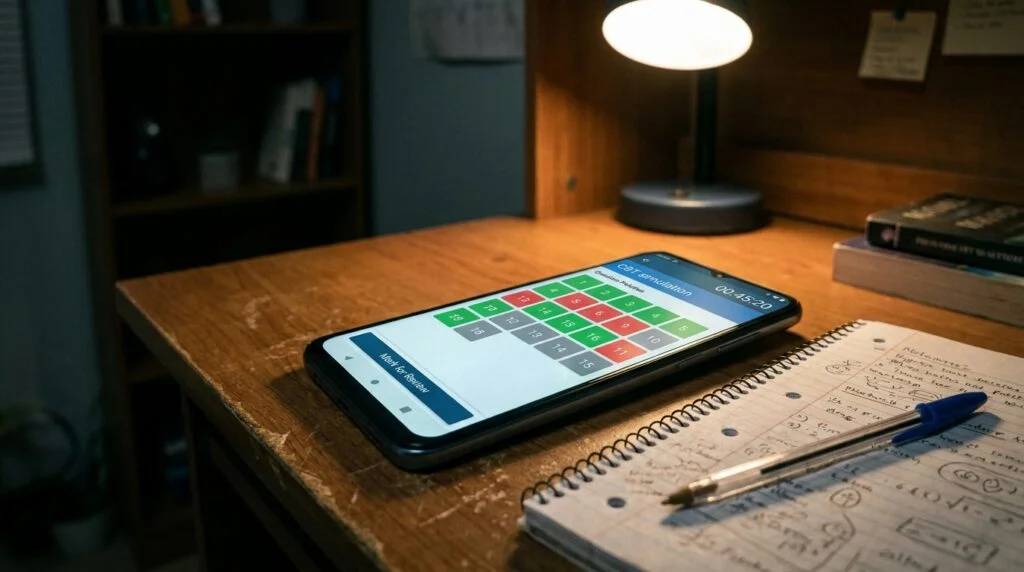
Mapping the JAMB CBT Interface Element by Element

Before you can fix a problem, you need to see it clearly. So let’s walk through what you are actually looking at on exam day, based on how the current CBT practice environment is structured.

JAMB has moved away from a mouse-and-screen setup. You now interact with the test through an eight-key navigation device attached to the computer. There is no clicking with a cursor. Every action, selecting an answer, moving to the next question, going back, happens through this small keypad. That single change is responsible for more lost marks than most candidates realize.

Here is a breakdown of the main interface elements and what each one is doing to your performance, whether you notice it or not.

Interface Element What It Does Where Students Lose Marks
Question navigation palette Shows every question number, colour coded by answered or unanswered status Students glance at it once and never use it to plan a return route to skipped questions
Eight-key device (no mouse) Lets you select an option, reverse a selection, and move forward or back Fingers fumble on unfamiliar keys, costing seconds on every single question
Reverse key (commonly the R key) Deselects a chosen answer so you can pick a different option Students forget it exists and either leave a wrong answer standing or panic-click through options
Previous key (commonly the P key) Takes you back to an earlier question or subject Rarely used with intent; most students only move forward until time forces them to stop
On-screen countdown timer Sits at the top of the screen and counts down from the full exam duration Stares back at students constantly, pulling attention away from the actual question
Subject switch option Lets you jump between the four subjects at any point Underused because students assume they must finish one subject before starting another
Confirm-and-submit sequence Final step that locks in your answers when you finish or time expires Students under time pressure either submit too early out of panic or run out of time before reaching it

Three of these points are where a genuinely knowledgeable student loses marks that have nothing to do with subject mastery.

Point one: the palette gets ignored. The navigation palette is built to help you manage 180 questions strategically. Most students treat it as decoration. They answer top to bottom, and if they run short on time, entire blocks of unanswered questions at the end of a subject get skipped, not because those questions were hard, but because the student never used the palette to jump ahead and secure the easy marks first.

Point two: the eight-key device slows down thinking. On paper, moving to the next question is instant. Your eyes just move. On the CBT device, every transition is a physical keypress on an unfamiliar keypad. That friction adds up across 180 questions. A half-second delay per question, multiplied by the whole exam, quietly eats minutes you did not budget for.

Point three: the confirm-submit sequence catches people off guard. Some students, especially those anxious about time, hit submit steps too early because they misread where they are in the sequence. Others run into the opposite problem: they are still reviewing flagged questions when the system forces submission because they misjudged how many steps stood between them and the final lock-in.

None of these three points involve subject knowledge. They are entirely about operating a machine under pressure. This is the part of JAMB prep that almost nobody teaches properly.

A Taxonomy of CBT Failure Modes I See Every Year

After watching enough students go through timed CBT sessions, patterns repeat. I started naming them so students could recognize the behaviour in themselves before it costs them marks. These are not official JAMB terms. They are labels I use with my own students because naming a problem makes it easier to catch.

Palette Blindness

This is when a student answers questions in strict sequential order and never once uses the navigation palette to check overall progress. The symptom looks like this: with fifteen minutes left, the student suddenly realizes there are twenty unanswered questions sitting untouched somewhere earlier in the subject, questions that might have been the easiest ones on the whole paper. Palette blindness happens because paper exams train you to work front to back, and that habit carries over into a CBT environment that actually rewards jumping around strategically.

Premature Submit

This shows up as a nervous, anxious behaviour. A student unsure whether they have finished a subject starts pressing forward through confirmation screens too fast, out of fear of losing time, and accidentally locks in a subject before reviewing flagged or skipped questions. The confirm-submit sequence is meant to give you a final checkpoint. Premature submit happens when anxiety turns that checkpoint into something the student rushes past instead of using.

Clock Tunnel-Vision

This is the most common one. The countdown timer sits at the top of the screen the entire time, and for many students it becomes impossible to ignore. Instead of reading the question, the eyes keep drifting up to the clock. Working memory that should be solving the problem gets spent instead on running time-pressure calculations in the background. A student experiencing clock tunnel-vision will often reread the same question two or three times without absorbing it, because part of their attention never actually left the timer.

Reverse-Key Paralysis

Some students select an answer, realize halfway through the next question that they picked wrong, and freeze because they are unsure how to safely go back and correct it without messing up their position in the exam. Instead of using the reverse function to fix it cleanly, they either leave the wrong answer standing out of fear, or they burn extra time double and triple checking that the correction actually registered.

Scroll Fatigue

Longer comprehension passages and multi-line mathematics questions require scrolling on screen. Scroll fatigue is what happens when a student has to scroll up and down repeatedly to re-read a passage or re-check earlier working, losing the question’s train of thought each time the screen moves. On paper, your eyes can dart freely across a full page. On screen, you are locked into whatever fits in the visible window.

Here is a quick reference table connecting each failure mode to its trigger and its fix.

Failure Mode What Triggers It Practical Fix
Palette blindness Answering strictly top to bottom without checking the palette Do a palette check every 20 to 25 questions
Premature submit Anxiety-driven rushing through confirm screens Practice the exact submit sequence until it is boring and familiar
Clock tunnel-vision Constant visual proximity to the countdown timer Set your own mental checkpoints instead of watching the clock continuously
Reverse-key paralysis Uncertainty about how the reverse function works Drill the reverse key specifically until it is automatic
Scroll fatigue Long passages or multi-step questions requiring repeated scrolling Practice mentally chunking a passage before scrolling instead of scrolling reactively

Why “Knowing It” and “Operating It” Are Two Different Skills

Here is a worked example that shows this gap clearly, using a type of question that comes up often in JAMB mathematics.

Say a student is given a straightforward simultaneous equation problem, something they can solve on paper in about 40 seconds because the method is second nature to them. On paper, they write the two equations side by side, cross out terms, substitute values, and land on the answer with minimal friction. The whole page is visible at once. Nothing interrupts the flow of working.

Now put that same question inside the CBT interface. There is no scratch space built into the screen. The student either has to do the working entirely in their head, which raises the error rate on anything beyond simple substitution, or they use separate rough paper provided at the centre, which means constantly shifting eye focus between the screen and the paper. If the question and its four answer options do not fit in one view, there is scrolling involved too. Add the small delay of using the eight-key device to move to the next question once they have an answer, and that same 40-second question can realistically stretch to 90 seconds inside the actual exam environment.

Multiply that gap across dozens of calculation-heavy questions in a single subject, and you can see how a student can walk in with real, solid subject mastery and still run out of time before finishing the paper. The knowledge was never the problem. The environment added a tax on every single question, and nobody warned them to budget for it.

This is exactly why timed CBT practice matters more than untimed revision at a certain point in your preparation. Reading and understanding a topic is one skill. Executing that understanding inside a clock-driven, keypad-only, no-scratch-space interface is a separate skill, and it needs its own separate practice.

Running Your Own Dry Run Before Exam Day

You do not need to take my word for any of this. You can test it yourself, and I would strongly encourage you to, because watching your own behaviour under timed conditions teaches you more about your weak points than any article can.

Here is a simple exercise you can run with a small group of friends or classmates, using any CBT practice app that mimics the real navigation palette and timer.

  1. Pick a fixed set of questions, something like 20 questions from a subject everyone in the group is reasonably strong in.
  2. Give everyone the same time limit, scaled down proportionally from the real exam pacing.
  3. Have each person keep a small paper log next to them. After the session, they write down two numbers: how many questions they left unreviewed or skipped, and roughly how many minutes of their allotted time went unused or, on the other end, how far over they ran.
  4. Compare notes as a group afterward.

What tends to come out of this kind of exercise is not a set of hard numbers you can quote as research. It is a pattern you can see with your own eyes: the students who moved fastest were usually the ones who had used the navigation palette actively instead of ignoring it, and the students who reported the most unreviewed questions were almost always the ones who described feeling pulled toward the clock the whole time, which lines up closely with what I called clock tunnel-vision earlier. Run this exercise with your own group and pay attention to which failure mode from the taxonomy above keeps showing up. That is the one you personally need to drill.

Common Mistakes That Compound the Interface Problem

Beyond the failure modes already named, a few smaller habits make everything above worse. These are worth calling out directly.

  • Practicing only with paper past questions and never touching a timed CBT simulation until exam week
  • Assuming the eight-key device works the same way as a phone keypad, which leads to fumbling on exam day
  • Ignoring subject-switching entirely and grinding through subjects in a fixed order even when stuck on a hard section
  • Treating the countdown timer as something to stare at rather than something to glance at on a schedule
  • Never rehearsing the confirm-submit sequence, so it feels unfamiliar and rushed at the exact moment it matters most

Each of these is fixable with repetition. None of them require more subject knowledge. They require more time spent inside the actual interface you will be tested on.

Frequently Asked Questions

Does JAMB CBT have an on-screen calculator?

No. There is no built-in calculator inside the JAMB CBT interface. Any calculation, from simple arithmetic to multi-step algebra, has to be done manually using rough paper provided at the centre or worked out mentally. This is exactly why the “knowing versus operating” gap described earlier matters so much for mathematics and any calculation-heavy questions in other subjects.

Can I go back and change an answer after selecting it?

Yes. The reverse function lets you deselect a chosen option so you can pick a different one. The friction is not whether you can do it, it is whether you have practiced doing it enough times that it feels automatic instead of something you have to think through under pressure.

Should I answer subjects in a fixed order?

There is no rule requiring you to. You can switch between subjects at any point during the exam. Many students benefit from starting with the subject they feel most confident in to build early momentum, then moving to harder subjects once they have secured easier marks.

How is the JAMB CBT different from an ordinary computer test?

The biggest structural difference is the absence of a mouse. Navigation happens entirely through an eight-key device, which changes how every single action, from selecting an answer to moving between questions, physically feels compared to a normal computer interface most students are used to from school or home use.

Is running out of time really about interface friction, or is it always about slow subject mastery?

It can be either, and for most students it is a mix of both. The point of separating knowledge from operation is not to excuse weak preparation. It is to make sure a student who genuinely knows the material is not left thinking they are bad at a subject when the real issue is unfamiliarity with the testing environment itself.

Bringing It Together

Low JAMB scores get blamed on weak reading habits far too often, and that explanation misses a real and fixable problem sitting underneath it. The eight-key device, the navigation palette, the absence of scratch space on screen, the constant presence of a countdown timer, these are not small details. They are a second exam layered on top of the subject exam, and most candidates walk in having only prepared for one of the two.

If you take one thing away from this, let it be this: spend real, timed hours inside an actual CBT practice environment before your exam date, not just reading past questions on paper. Watch your own behaviour. Notice if you are palette blind, if the clock keeps pulling your eyes away from the question, if the reverse key trips you up. Fix the specific pattern you find in yourself, not a generic one from a random study guide.

Have you run into any of these failure modes yourself during CBT practice, or noticed a different one that is not on this list? Drop it in the comments. Hearing what actually happens to real candidates on real practice sessions is often more useful than anything a guide like this can predict in advance.

JOB CHANGE
The Three-Phase System That Turns JAMB Past Questions Into Real Exam Skill

You’ve downloaded the past-question app, you’ve read through hundreds of questions, and yet your score in the last mock still felt shaky. That gap between “I’ve seen this before” and “I can solve this under pressure” is exactly where most JAMB candidates get stuck. What you’re about to read is a training structure, not another list of tips, that turns your existing app or PDF bank into a system with three distinct phases, each one building a different skill you need on exam day.

My name is Amakor Vitalis, and I’ve spent the last five years working directly with JAMB candidates on exam preparation, watching what separates the students who walk in calm from the ones who freeze the moment the CBT timer starts counting down. Most of what I’m sharing here didn’t come from a textbook. It came from sitting next to students, watching how they use (and misuse) the same past-question tools you probably already have on your phone right now.

Why “Reading” Past Questions Is Wasting Your Time

Here’s the generic advice you’ve probably heard a hundred times: “Practice past questions.” That’s it. No structure, no timing rules, no explanation of what “practice” even means. It’s the kind of advice that sounds helpful but leaves you doing the same passive scrolling you’d do with any other study material.

The problem is that reading a question and its answer back to back trains recognition, not recall. You look at a Physics question, you see the correct option highlighted, and your brain quietly tells itself “yeah, I knew that.” But on exam day, there’s no highlighted answer. There’s just you, the clock, and four options that all look plausible if you haven’t actually built the skill of solving under a time cap.

This is why students who’ve “gone through” ten years of past questions still panic in the real CBT hall. They trained the wrong skill. Passive review builds familiarity. It does not build speed, accuracy under pressure, or the stamina to stay sharp across four subjects in two hours. Those three things only come from deliberate, timed practice, which is what the three-phase framework below is built to deliver.

The Three-Phase Framework: An Overview

Before going into each phase in depth, here’s the full picture so you can see how the pieces connect. Each phase changes three things: how much time you get, whether the correct answers are visible while you work, and how many subjects you’re handling at once.

Phase Purpose Time Limit Answers Visible? Subjects Combined
Phase 1: Untimed Learning Build understanding of concepts and question patterns None (self-paced) Yes, after each question One subject at a time
Phase 2: Timed Section Drills Build speed and accuracy within a single subject Yes, strict per-question or per-set cap No, only after finishing the set One subject at a time
Phase 3: Full Mock Under Exam Conditions Build exam stamina and subject-switching ability Yes, full JAMB time (2 hours for 4 subjects) No, only after submitting the full mock All four subjects together

Notice the progression. You move from slow and supported, to fast and isolated, to fast and combined. Skipping straight to Phase 3 is the mistake most candidates make, and it’s why full mocks feel so brutal when you haven’t built the underlying skills first. Each phase exists because it trains something the other two can’t.

Phase 1: Untimed Learning (Build the Foundation)

This phase has one job: make sure you actually understand why an answer is correct, not just that it is correct. You’re not racing the clock here. You’re building the mental library of question types, formulas, and traps that JAMB likes to repeat year after year.

How to run Phase 1 properly

Work through one subject at a time, in blocks of 15 to 20 questions. After every single question, check the answer immediately. If you got it wrong, don’t just note the correct letter. Work backward and figure out exactly where your reasoning broke down. Was it a concept you never learned, a calculation slip, or a trick in the wording of the question? Write that reason down somewhere, even a simple notes app works fine.

A mistake many candidates make in this phase is treating it like a race, because they’re impatient to “cover” more questions. That defeats the purpose. Phase 1 is slow by design. If you’re rushing through it, you’re not doing Phase 1, you’re doing a weak version of Phase 2 without the timer, which gives you the worst of both worlds: no speed training and no deep understanding either.

Converting your app for Phase 1

Most JAMB CBT practice apps, including the common JAMB CBT practice apps and Prof Test style tools students use, include a practice mode alongside their timed exam mode. Here’s what to adjust:

  • Turn the timer off or set it to “practice mode.” Look for a toggle usually labeled “Study Mode,” “Practice Mode,” or “Untimed” in the app’s settings or on the subject selection screen.
  • Enable instant answer reveal. Many apps show the correct option and a short explanation the moment you tap your choice. If your app has an “explanation” or “show solution” toggle, switch it on for this phase.
  • Filter to a single subject. Use the subject filter (usually a dropdown or checklist on the home screen) to isolate just one subject, for example Mathematics only, rather than a mixed set.
  • Set the question count low. Fifteen to twenty questions per session keeps this phase focused. Long, unbroken sessions here lead to skimming instead of real analysis.

Stay in Phase 1 for a subject until you can explain, out loud or in writing, why the correct answer is correct for at least eight out of ten questions in a fresh set. That’s your signal to move that subject into Phase 2.

Phase 2: Timed Section Drills (Build Speed Inside One Subject)

Once you understand the material, the next skill is speed. JAMB gives you roughly 2 hours for 4 subjects and 180 questions total, which works out to under 40 seconds per question on average once you account for reading time. Phase 2 is where you train your brain to move at that pace without falling apart.

How to run Phase 2 properly

Pick one subject and set a strict time cap, for example 20 minutes for 20 questions (one minute per question, which is a comfortable but firm pace to start with). Do not check answers mid-set. Answer everything first, then score yourself at the end. This is the biggest difference from Phase 1, and it’s the part most students skip because it’s uncomfortable to sit with uncertainty.

When the timer runs out, stop immediately, even if you have three questions left. That discomfort is the point. It shows you exactly where your pacing breaks down, whether it’s spending too long on calculation-heavy Physics questions or getting stuck rereading confusing English comprehension passages.

After scoring, go back through every question you got wrong or skipped and analyze it the same way you did in Phase 1. The difference is you’re now doing that analysis after a timed attempt, which tells you whether your mistakes are knowledge gaps or speed-pressure mistakes. Those need different fixes. A knowledge gap sends you back to Phase 1 for that specific concept. A speed-pressure mistake means you need more Phase 2 reps at that pace, not more content review.

Converting your app for Phase 2

  • Switch the timer to “on” and set a custom duration. Most JAMB CBT apps let you set a countdown for a section rather than the full exam. Look for “Custom Test,” “Section Timer,” or “Set Duration” options.
  • Turn off instant answer reveal. Disable “explanation on tap” so you’re forced to commit to an answer and move on, the same way you would in the real CBT.
  • Keep the subject filter on a single subject. You’re still isolating one subject at this stage. Combining subjects belongs to Phase 3.
  • Gradually tighten the time cap. Start at one minute per question if you’re new to this phase. As your accuracy stabilizes above your target (more on that in the readiness section below), drop to 50 seconds, then 45, so you’re training slightly faster than the real exam demands. That buffer matters on exam day when nerves slow everyone down a little.

Phase 3: Full Mock Under Exam Conditions

This is the phase most people jump into far too early, and it’s also the one that matters most once you’ve actually built the foundation. Phase 3 combines everything: all four subjects, the full 2-hour time limit, and zero visibility into answers until you’ve submitted the entire mock.

How to run Phase 3 properly

Sit the mock exactly as you would on exam day. That means a quiet room, no phone notifications, no pausing to check your phone, and definitely no peeking at explanations mid-test. The goal is to simulate the mental fatigue of switching between English, Mathematics, and your two chosen subjects back to back, because that switching cost is real and it’s something Phase 1 and Phase 2 don’t train.

Score the entire mock only after you’ve finished, and go through your wrong answers with the same backward analysis from Phase 1. But also pay attention to a second layer of information here: where did your accuracy drop as the mock went on? If you were strong in the first hour and weak in the second, that’s a stamina problem, not a knowledge problem, and it tells you to run more full mocks rather than going back to content review.

Converting your app for Phase 3

  • Select “Full Mock” or “Exam Mode.” Most JAMB CBT practice apps and Prof Test style platforms have a dedicated mode that mimics the real UTME structure, including the mandatory English section plus your three chosen subjects.
  • Set the timer to the full 2-hour exam duration rather than a custom shorter time. Do not shorten it, even if it feels long. Building the stamina to sustain focus for the full period is the entire point.
  • Disable any mid-test explanations or hints. These modes usually lock answer reveal until submission by default, but double check the settings before you start so you’re not tempted mid-test.
  • Turn on the subject-switch structure if available. Some apps let you set the order (English first, then Mathematics, then your other two subjects), matching the real UTME flow. Use this if your app supports it, since the order affects pacing and fatigue in a way that matters.

Run a full mock no more than once or twice a week early in your preparation. Running them too often without doing Phase 1 and Phase 2 work in between just repeats the same mistakes without fixing anything underneath them.

The Weekly Training Grid

This is the exact structure I’ve used with candidates to keep their week organized instead of randomly picking a subject each day and hoping for the best. Copy this grid into a notebook or a spreadsheet and fill it in as you go. The “Target Time per 20 Questions” column is your Phase 2 pacing goal, and the “Self-Score” column is where you record your raw accuracy after each session.

Day Subject Phase Target Time per 20 Questions Self-Score (out of 20)
Monday Mathematics Phase 1 or 2 20 min (Phase 2) ____ / 20
Tuesday English Language Phase 1 or 2 18 min (Phase 2) ____ / 20
Wednesday Third Subject (your choice) Phase 1 or 2 20 min (Phase 2) ____ / 20
Thursday Fourth Subject (your choice) Phase 1 or 2 20 min (Phase 2) ____ / 20
Friday Weakest subject from the week Phase 1 (review) Untimed ____ / 20
Saturday Full Mock (all 4 subjects) Phase 3 2 hours total ____ / 180
Sunday Rest or light untimed review Phase 1 (optional) Untimed ____ / 20

A few notes on how to use this grid well:

  • Rotate which subject gets Phase 1 versus Phase 2 treatment based on your last self-score. If Monday’s Mathematics score was below your target (explained in the next section), keep Mathematics in Phase 1 the following Monday instead of pushing it into Phase 2 too early.
  • Friday is your catch-up day, not a rest day. Whatever subject scored lowest that week goes back to untimed review here. This stops weak spots from accumulating silently.
  • Don’t skip Saturday’s full mock even when you feel unprepared. The data from a mock, even a rough one, tells you far more than another week of section drills alone.
  • Sunday is genuinely flexible. Some candidates use it for light review, others take it off completely. Both are fine as long as the other six days are consistent.

The Self-Scoring Column, Explained

The self-scoring column isn’t just a record of how many you got right. It’s the input for the readiness decision you’ll make later, so score honestly. Two things to track alongside the raw number:

  • Accuracy percentage. Sixteen out of twenty is 80 percent. Write the percentage next to the raw score so you can compare across sessions with different question counts.
  • Time used versus time allowed. If you finished a 20-minute Mathematics drill in 14 minutes but only scored 60 percent, that’s not a win. You have speed without accuracy, which means you’re guessing rather than solving. Slow down slightly and rebuild accuracy before chasing speed again.

Keeping both numbers side by side stops you from fooling yourself with a fast time and a weak score, which is one of the most common blind spots I see in candidates who train alone without anyone checking their pacing habits.

The Readiness Threshold Rule

Here’s a hard truth: a calendar date is a terrible way to decide whether you’re ready for the real UTME. “I’ll be ready by March because the exam is in April” is not a plan, it’s a hope. Readiness should be based on performance, not on how many weeks are left, because two candidates starting on the same date can reach exam-ready skill at completely different speeds depending on their starting point and consistency.

That’s why I use a specific trigger instead of a date: three consecutive full mocks, each scoring above your target accuracy, completed fully within the 2-hour time cap.

Here’s the reasoning behind each part of that rule:

  • Why three mocks, not one. A single strong mock can be luck: an easy question set, a lucky guess streak, or a day where you happened to be sharp. Three in a row filters out luck and shows a repeatable pattern, which is what you actually need on exam day.
  • Why consecutive, not “three out of five.” If you score well, then poorly, then well again, that inconsistency is exactly the problem you’re trying to solve. The rule resets to zero after any mock that falls below target, forcing you to fix the inconsistency rather than average it away.
  • Why a target accuracy rather than “just finishing.” Finishing within time means nothing if you rushed and guessed through the last thirty questions. Set a target based on the score you actually need (for example, if your target university course needs 250, work backward with a knowledgeable source or your school’s guidance counselor to translate that into a realistic accuracy percentage across your four subjects).
  • Why the time cap matters as much as the score. A high score achieved by going twenty minutes over the limit tells you nothing about your real exam-day performance. The full 2-hour cap has to be respected every time for the mock to count toward your three.

Until you hit three consecutive mocks meeting both conditions, keep cycling through Phase 1 and Phase 2 work on your weaker areas. Once you hit the threshold, your remaining time before the exam is best spent on maintenance: one full mock a week plus light review, rather than cramming new material.

Common Mistakes to Avoid With This System

  • Jumping straight to full mocks because they feel more “real.” Without Phase 1 and Phase 2 underneath, mocks just repeat the same errors without giving you a way to fix them.
  • Never leaving Phase 1. Some candidates get comfortable in untimed mode because it feels productive without the discomfort of a ticking clock. If you’re always scoring well untimed but never testing yourself timed, you’re avoiding the exact skill you need most.
  • Ignoring the self-scoring column. Training without tracking numbers means you’re relying on a feeling of progress, which is unreliable. Write the numbers down every time.
  • Resetting the readiness count for the wrong reasons. Missing one mock due to illness or a genuinely broken app isn’t the same as scoring low because you weren’t prepared. Use judgment, but don’t use it as an excuse to lower your own target either.
  • Treating all four subjects equally when they don’t need equal time. If your weakest subject is dragging your accuracy down every week, it deserves more Phase 1 and Phase 2 sessions than the subjects you’re already strong in. The weekly grid above is a starting template, not a rigid rule. Adjust the subject rotation based on your own self-scores.

Frequently Asked Questions

How many past questions should I go through before starting Phase 2? There’s no fixed number that works for everyone, since it depends on how quickly you’re understanding the material. A better signal than a question count is your Phase 1 self-check: once you can explain the reasoning behind at least eight out of ten answers in a fresh set without help, that subject is ready to move into Phase 2.

What if my app doesn’t have separate timed and untimed modes? Some simpler apps only offer one mode. In that case, you can manually simulate Phase 1 by using a stopwatch yourself and choosing not to look at it, then checking answers after each question by hand. For Phase 2, set your own phone timer for the session and don’t check answers until the timer ends, even if the app would let you.

Should I use the same past-question app for all three phases, or different ones? Using one app across all three phases is usually simpler, since you’re already familiar with its interface and question bank. The key is adjusting the settings for each phase rather than switching tools entirely, unless your current app genuinely lacks a full-mock exam mode, in which case a second app that specifically simulates the full UTME structure is worth adding just for Phase 3.

What if I keep failing to reach the readiness threshold? Go back to your self-scoring data and look for a pattern rather than assuming you need to “study harder.” Check whether your low scores cluster around one or two subjects, one particular question type, or a specific point in the mock where fatigue sets in. That pattern tells you exactly where to focus your next round of Phase 1 and Phase 2 sessions instead of reviewing everything indiscriminately.

Is it normal for my score to drop when I move from untimed to timed practice? Yes, and it’s actually a useful sign rather than a bad one. A drop when the clock starts shows you where your understanding wasn’t as solid as it felt during untimed review. Treat that drop as information pointing you back to specific concepts, not as a reason to panic.

Bringing It All Together

Past questions themselves aren’t the problem. How you use them is. Reading through answers with no timer and no structure builds a false sense of readiness that falls apart the moment the real countdown starts. Moving through Phase 1 to build real understanding, Phase 2 to build speed within a single subject, and Phase 3 to build the stamina to hold that speed across four subjects gives you a training system that actually mirrors what exam day demands.

Use the weekly grid as your starting structure, adjust it honestly based on your self-scoring numbers, and let the three-consecutive-mocks rule, not the calendar, tell you when you’re actually ready. That shift, from passive reading to structured, timed, self-scored practice, is the single biggest change I’ve seen move candidates from shaky mock scores to steady, repeatable performance.

Have you tried timing yourself against past questions before, and if so, what happened to your accuracy when the clock started running? I’d like to hear how it went for you in the comments.

JAMB CBT Centre
How to Study a Full School Term on Just 1GB of Data a Month

Your data finishes before the second week of the month, and your notes are still stuck on a slide you never got to download. It happens to almost every student on a tight airtime budget, and it makes you feel like you’re always one step behind in class. I’m going to show you the exact routine, app settings, and weekly plan that let a serious student cover a full term on 1GB a month, with real MTN, Airtel, and Glo prices attached.

My name is Amakor Vitalis, and I’ve spent the last five years helping students and young professionals in Nigeria get more out of small data plans, mostly through trial and error on my own line and by watching how apps actually eat megabytes behind the scenes. I’m not going to give you generic tips like “turn off your data when not in use.” You already know that. I’m going to give you numbers, routines, and settings you can copy today.

Why 1GB a Month Actually Works (If You Stop Streaming Live)

Most students burn through data by watching lessons live, refreshing WhatsApp groups all day, and letting apps update themselves in the background. None of that is necessary for real studying. The trick is to separate two activities that people usually mix together: getting content onto your phone, and studying that content.

Once you split those two things apart, you can do almost all your studying with your data switched off completely. You only turn data on for short, planned windows to grab what you need for the week. This is the whole idea behind the routine in this guide, and it’s the reason 1GB can carry you through a full term instead of running out by the tenth day.

I tested this by watching my own phone’s data usage screen (Settings, then Network, then Data Usage, then Mobile Data Usage per app) for a full month while studying for an exam period. The numbers below come from that kind of tracking, not from a lab study or a telecom press release. Your own numbers will shift a bit depending on your phone and the quality settings you pick, so I’ll show you exactly where to check yours too.

What Common Study Actions Really Cost in Megabytes

Before you can budget 1GB, you need to know what you’re actually spending it on. Here’s a rough breakdown of what typical study actions use, based on standard video and file compression behaviour plus my own tracked usage. Treat these as planning estimates, not exact numbers, since video quality settings and file size change things a lot.

Study Action Typical Data Used Notes
Streaming a 10-minute lesson video (SD, around 480p) 40MB to 70MB Streaming costs more than downloading because there’s extra buffering overhead
Streaming the same video at low quality (144p to 240p) 8MB to 15MB Use this setting on YouTube or your school’s LMS for lectures you just need to hear, not see clearly
Downloading the same 10-minute video once, for offline replay 25MB to 45MB You pay once, then watch it as many times as you want for free
Opening a scanned PDF past question (10 to 20 pages) 1MB to 5MB Text-only PDFs are much smaller than scanned image PDFs, so ask for text versions where possible
One hour active in a WhatsApp study group (text only, no media auto-download) 3MB to 8MB This jumps a lot if photos, voice notes, or videos load automatically
One hour in the same group with photos and voice notes auto-downloading 30MB to 80MB This single setting is often the biggest silent data killer for students
Google search plus reading a short article (text, few images) 1MB to 3MB Ad-heavy sites and pop-ups can push this much higher

Look at that table again. The gap between careful settings and default settings is huge. A student who leaves WhatsApp on auto-download and streams videos on default quality can burn 1GB in three or four days without doing anything wrong on purpose. A student who downloads once and studies offline can stretch the same 1GB across weeks.

The Download-Once, Study-Offline Method

This is the core routine, and it’s simple enough to repeat every week without thinking hard about it. The idea is to do all your heavy downloading in one short window when you have the best access to data or Wi-Fi, then close data completely and study from what’s already saved on your phone.

Pick One Short Weekly Window

Choose a single time slot each week, ideally on a day when you’re less busy, like a Sunday afternoon or evening. Some networks also run cheaper night bundles between midnight and 5am, which is worth checking if you’re a night person. This window is the only time you touch your main data bundle for downloading. Everything else during the week runs offline.

During this window, aim to spend 30 to 45 minutes, no more. If it’s taking longer, you’re probably downloading more than you need, or your video quality setting is too high.

What to Pull Down Each Week

Here’s what a realistic weekly pull looks like for a student on a 1GB monthly budget (roughly 230MB to 250MB a week):

  • Two or three recorded lecture videos, downloaded at low quality (144p to 240p), around 60MB to 100MB total
  • All PDF slides, notes, and past questions you’ll need for the week, usually 10MB to 30MB total if they’re text-based
  • Any assignment instructions or reading lists your lecturer shared, a few megabytes at most
  • A short check of your WhatsApp study group with media auto-download switched off, then download only the two or three messages that actually matter, maybe 5MB to 15MB

That adds up to somewhere between 80MB and 150MB for a normal week, leaving a buffer for emergencies like an unexpected assignment upload or a quick Google search you couldn’t avoid.

Once your download window is done, turn on Airplane Mode or switch off mobile data entirely. Read the PDFs. Watch the downloaded videos. Write your notes. None of that touches your data bundle again until next week’s window.

Settings You Must Switch On Before You Start Studying

These are specific, not vague. Go through this list once on your phone before your first study week, and most of them stay on for good.

  • Video quality cap (YouTube, school LMS apps): Set default playback quality to 240p or Data Saver mode. On YouTube, this is under Settings, then Video Quality Preferences, then set both Wi-Fi and Mobile Data to “Data Saver” or the lowest option. This alone can cut your video data use by half or more.
  • Download over Wi-Fi only: Most apps that store files (Google Drive, school portals, cloud storage apps) have a toggle for this in their settings menu. Turn it on so a file never downloads automatically the moment your data switches on, only when you’re near Wi-Fi or you tap download manually.
  • WhatsApp media auto-download, set to Wi-Fi only: Go to WhatsApp Settings, then Storage and Data, then Media Auto-Download. Set Photos, Audio, Video, and Documents to download on Wi-Fi only, not mobile data. This is the single biggest fix on this whole list based on the table above.
  • Data Saver mode on your phone (Android) or Low Data Mode (iPhone): This is a system-wide switch that stops background apps from using data when you’re not actively using them. On Android it’s under Settings, then Network and Internet, then Data Saver. On iPhone it’s under Settings, then Mobile Data, then turn on Low Data Mode for your cellular line.
  • Autoplay off, everywhere: Turn off autoplay on YouTube, on any social apps you use, and on your browser if it has the option. Autoplay is designed to keep you watching, which is the opposite of what a tight data budget needs.
  • Background app refresh, turned off for everything except your messaging app: This stops apps you’re not using from quietly pulling updates and notifications in the background.
  • Automatic app updates, switched to Wi-Fi only: Play Store and App Store both have a setting for this. Big app updates can eat 100MB or more without you noticing if this is left on “any network.”

Do this list once, properly, and you remove almost all the accidental data loss that has nothing to do with actual studying.

Comparing MTN, Airtel, and Glo for a 1GB-a-Month Study Plan

Data prices in Nigeria change often, so treat the numbers below as a snapshot rather than something fixed forever. Always check the current menu on your line by dialing the USSD code before you commit. That said, here’s how the three major networks compare for a student trying to run a full term on a small monthly bundle.

Network Cheapest Monthly Bundle Near 1-3GB Approx. Price Cost per GB USSD Code
MTN 2GB (30 days) ₦1,500 About ₦750/GB Dial *312#
Airtel 2GB (30 days) ₦1,500 About ₦750/GB Dial *312#
Glo 2.6GB (30 days) ₦1,000 About ₦385/GB Dial *312#

Glo tends to give the most data per naira on its entry-level monthly plans, while MTN generally has the widest coverage if you’re outside a major city, and Airtel is often praised for faster speeds in busy urban areas. If your school area has weak Glo signal, the cheaper price won’t help you, so check actual signal strength where you sleep and where your classes happen before switching networks just for the price.

All three networks also run cheap night bundles, usable roughly between midnight and 5am, that cost far less per megabyte than daytime plans. If you’re naturally a late-night reader, or you can set your weekly download window for early morning, these night bundles stretch your budget even further.

Naira Cost of One Term Under This Plan vs Casual Daily Browsing

This is where the routine really shows its value. Let’s compare two students over a 12-week term, both studying the same course load.

Approach Monthly Data Used Monthly Cost (using Glo 2.6GB at ₦1,000) Cost for a 3-Month Term
Download-once, study-offline routine (this guide) About 1GB ₦1,000 (one bundle covers it with room to spare) Roughly ₦3,000
Casual daily browsing (streaming lessons live, auto-download on, no quality caps) 3GB to 5GB or more ₦3,000 to ₦5,000+ (needing top-ups mid-month) Roughly ₦9,000 to ₦15,000

That’s a difference of ₦6,000 to ₦12,000 across a single term, just from changing habits and a handful of app settings, not from switching to a cheaper network. Multiply that across a full school year and you’re looking at savings that could cover an extra month or two of data, or go toward something else you actually need.

Common Mistakes That Blow Through a 1GB Budget in Days

Even students who understand the routine sometimes slip back into old habits. Watch out for these:

  • Leaving auto-download on “always” instead of “Wi-Fi only” in WhatsApp. This is the number one budget killer, based on the usage gap shown earlier.
  • Streaming lecture recordings live instead of downloading once. Streaming the same 10-minute video three times to catch parts you missed can cost three times the data of one clean download.
  • Forgetting to close background apps after the weekly download window. Some apps quietly keep syncing even after you think you’re done, especially cloud storage and email apps.
  • Using default video quality on YouTube or an LMS. Default settings are usually built for speed and picture quality, not for saving your data.


Check Out: I Rebuilt the JAMB CBT Experience on a Cheap Android Phone

You can’t always get to a CBT centre to practise before your JAMB exam, and that gap eats at your confidence every single day you don’t fix it. I know the feeling of opening your phone at midnight, searching “JAMB CBT practice app,” and closing ten tabs because none of them tell you if the setup actually works. So I bought the cheapest Android phone I could find, loaded it with the practice tools students actually use, and ran a full two hour mock to find out exactly how close a phone gets to the real centre experience, and where it falls apart.

My name is Amakor Vitalis. I’ve spent the last five years working with students preparing for JAMB, WAEC, and other computer based tests, mostly helping them figure out what actually helps versus what just wastes their data bundle. I’ve sat in CBT centres watching students freeze the first time they touch a real exam screen, not because they didn’t know the answer, but because the screen, the mouse, and the layout were things they’d never touched before. That’s what pushed me to run this phone experiment properly, instead of just guessing.

Why This Question Even Matters

Most students preparing for JAMB don’t live near a real CBT centre, and the ones that exist often charge money per mock session or only open on weekends. So the phone becomes the default tool. The problem is nobody tells you honestly what a phone can and cannot do. Some blogs just say “yes, download this app and you’re ready,” which is generic advice that ignores the actual mechanics of the exam. Other blogs go the opposite way and say phones are useless, which isn’t true either. I wanted a straight answer, tested properly, not a guess dressed up as advice.

The real exam isn’t just about knowing your subjects. It’s about handling a specific screen layout, a countdown timer sitting in your peripheral vision, a question palette you have to click through with a mouse, and doing all that inside a room full of strangers typing and shifting in their chairs. A phone can copy some of this. It cannot copy all of it. Knowing exactly which parts it copies well is what actually helps you plan your last few weeks before the exam.

The Exact Build I Used

I didn’t want to test this on a flagship phone, because that’s not what most JAMB candidates own. I used a budget Android device, the kind that sits in the lower price tier most first time smartphone buyers can afford: a 6.5 inch screen, 2GB of RAM, and a basic quad core processor. Nothing special. No extra cooling, no high refresh rate screen, no stylus support. This is the phone that a typical student walking into a cyber cafe with their sibling’s old device would be using.

For the software side, I installed a mix of the practice tools students already lean on:

  • A free CBT simulation app from the Play Store that mimics the JAMB interface, including the question numbering panel and countdown timer.
  • A past questions app with timed mock mode, used mainly for subject drilling.
  • A lighter web based practice portal, accessed through Chrome, to compare how a browser based mock feels against a native app.

I didn’t rely on just one app, because different apps get different parts of the CBT interface right. Testing three side by side gave a clearer picture than judging the whole idea off one shaky app.

What The Phone Reproduced Well

Some parts of the real JAMB CBT screen translated onto the phone almost exactly the way you’d expect:

  • Question palette: The grid showing all questions, color coded for answered, unanswered, and marked for review, showed up clearly on two of the three apps. Tapping between questions worked the same way clicking does on a desktop.
  • Countdown timer: Every app I tested had a visible timer, usually pinned to the top corner, counting down the same way the real centre screen does.
  • Mark for review function: This worked on all three apps. You could flag a question and jump back to it later, which is one of the more useful habits students need to build before exam day.
  • Subject switching: Moving between English, Mathematics, and your two chosen subjects worked the same as it does on the real system, with a tab or dropdown at the top.

These four features cover a good chunk of what actually trips students up on exam day, so getting them right on a phone is not a small win. Most first time CBT candidates lose time not because they don’t know an answer, but because they don’t know where to click to move on or mark a question, and that hesitation costs real minutes.

What The Phone Could Not Reproduce

This is where the generic “just download an app and you’re set” advice falls apart, and where I want to be blunt instead of polite about it.

  • Mouse navigation: The real JAMB CBT screen is controlled with a mouse, not touch. Clicking with a mouse and tapping with a finger use completely different muscle memory. You aim differently, you scroll differently, and your accuracy under pressure changes.
  • Desktop screen size and resolution: Centre monitors are usually 15 to 19 inches, sitting at a comfortable reading distance. A 6.5 inch phone screen crammed the same information into a fraction of the space, which changed how I read comprehension passages.
  • Centre environment and noise: A CBT centre has other candidates typing, chairs shifting, invigilators walking past, and the general tension of an exam hall. None of that exists when you’re practising alone on your phone in your room.
  • Keyboard shortcuts and physical buttons: Some centres allow limited keyboard use for navigation. A touchscreen has no equivalent, so you lose that option entirely.

If a blog tells you a phone gives you the “full” CBT experience, that’s the generic advice I’d push back on hardest. It doesn’t. It gives you a partial simulation, and pretending otherwise sets students up to walk into the real centre and get surprised by things nobody warned them about.

Friction Points I Ran Into During The Two Hour Mock

I sat through a full two hour mock, timed exactly the way JAMB structures it, without pausing, to see what would actually go wrong in real conditions rather than a quick five minute test run.

Screen Size Forced Constant Scrolling

Comprehension passages in English and some Mathematics word problems ran long, and on a 6.5 inch screen, that meant scrolling up and down constantly just to reread a sentence. On a desktop, you can usually see most or all of a passage at once. On the phone, I was scrolling back three or four times per question just to hold the full context in my head. That adds up over two hours. It’s not just annoying, it actually slows your pacing down in ways you won’t notice until you check the clock.

Touch Versus Mouse On The Answer Palette

Tapping the answer palette felt fine when I was calm and going slow. Under time pressure, closer to the last twenty minutes of the mock, my taps started missing the intended option, landing on the question next to it instead. A mouse gives you a visible cursor and a precise click point. A finger covers part of the screen and doesn’t give you that same visual confirmation before you commit to an answer. This is a real friction point, not a small one, and it’s exactly the kind of thing that costs marks if you haven’t practiced correcting for it.

Battery And Heat Behavior Over The Full Session

This part surprised me more than I expected. Running a CBT simulation app continuously for two hours, with the screen at a readable brightness, pulled the battery down by roughly a third to almost half, depending on which app was running (the browser based portal was noticeably lighter on battery than the native apps with heavier graphics). The phone also warmed up around the back camera area after about ninety minutes, not dangerously hot, but noticeably warm to the touch. For a budget device without extra cooling, that’s expected, but it’s worth knowing before you’re forty minutes from finishing a mock and your phone battery warning pops up.

Fidelity Checklist: Phone Setup Versus Desktop CBT Centre

I built out a straight comparison across the specific attributes that actually matter for exam readiness, marking each one as matched, partial, or missing based on what I saw across the full test.

Attribute Phone Setup Rating
Question palette layout Grid view with color coding, close match to real screen Matched
Countdown timer visibility Clearly visible, same position style Matched
Mark for review function Fully working across all three apps Matched
Subject switching tabs Same tab based navigation Matched
Screen size and reading comfort Small screen forces extra scrolling Partial
Input method (mouse vs touch) No mouse equivalent, touch only Missing
Keyboard shortcut navigation Not available on touchscreen Missing
Centre noise and environment Silent, solo practice, no distractions Missing
Battery and device reliability Battery drain and warmth over long sessions Partial
Pacing under a strict timer Countdown pressure felt realistic Matched

Out of ten attributes, four matched fully, two were partial, and four were missing outright. That’s a genuinely useful ratio to know before you decide how much to lean on a phone alone.

What This Setup Actually Trains Well

Here’s where I want to be fair instead of dismissive, because the phone setup isn’t useless. It’s just not complete.

  • Content recall under time pressure: Doing timed subject drills on the phone forced me to recall facts and formulas fast, which is exactly what you need for the real exam. This part transfers directly.
  • Pacing across four subjects: Practicing with a visible countdown, switching between subjects, and managing how much time you spend per question builds a habit that carries over to the real centre screen without much adjustment.
  • Familiarity with the palette and review system: Knowing how to mark a question and come back to it later, without wasting time figuring out the interface, is a skill you build just as well on a phone as on a desktop.

What This Setup Cannot Train

  • Physical mouse and desktop familiarity: There’s no substitute for sitting at an actual desktop and using a mouse under time pressure. This is a physical skill, not a knowledge skill, and no phone app replaces it.
  • Reading comprehension at full screen size: Practicing comprehension passages on a small screen builds a different reading rhythm than reading a full passage on a larger monitor. You need at least some exposure to the larger format before exam day.
  • Handling the centre environment: Sitting quietly at home is nothing like sitting in a hall with dozens of other candidates. You won’t know how noise and mild tension affect your focus until you’ve felt it once, and it’s better to feel it before the real exam than during it.

Common Mistakes Students Make With Phone Based Practice

I’ve watched enough students go through this to notice the same errors show up again and again. None of these are complicated to fix once you know they exist.

  • Practicing only in short bursts of ten or fifteen minutes instead of sitting through a full two hour block. Short sessions build knowledge but never build stamina for the real exam length.
  • Ignoring the “mark for review” habit because it feels unnecessary when practicing alone, then forgetting it exists on exam day when it would have saved time.
  • Practicing with the phone volume on and notifications active, which never happens in a real centre and gives you a false sense of focus.
  • Assuming one practice app is enough. Different apps mimic different parts of the real interface, and relying on just one gives you a narrower picture than you need.
  • Never once practicing with a mouse and a larger screen before exam day, treating the phone as the entire preparation instead of one part of it.

My Honest Verdict And What I’d Prescribe

If you can’t reach a CBT centre regularly, a budget phone with the right apps is genuinely worth using. It builds real skills: recalling content fast, pacing yourself across subjects, and getting comfortable with the palette and review system. Those are not small wins. A student who walks in having drilled these on a phone is still better prepared than one who did nothing at all.

But I won’t pretend it closes the whole gap, because it doesn’t. The mouse, the full sized screen, and the centre environment are physical and situational factors that a phone cannot copy no matter how good the app is. My honest prescription is simple: use the phone for the bulk of your practice, especially in the weeks where a centre isn’t accessible, but book at least one real CBT centre mock session before your actual exam date. Even a single visit, sitting at a real desktop with a mouse in a room with other people, closes most of the remaining gap that months of phone practice can’t touch on its own.

Frequently Asked Questions

Can a cheap Android phone really prepare me for JAMB CBT? It can prepare you well for content recall, timing, and getting comfortable with the palette and review system. It cannot fully prepare you for using a mouse or reading on a full sized screen, so pair it with at least one centre visit.

Which features matter most to practice before exam day? The countdown timer, the mark for review function, and moving between subjects matter the most, because these are the features that cause hesitation on exam day if you’ve never used them before.

Is a browser based practice portal better than a native app? In my test, the browser based portal used less battery over a long session, but the native apps had a closer visual match to the real CBT screen. Neither one alone is complete, so testing both is worth your time.

How long should each practice session last? Match the real exam length where you can. A full two hour block, done without pausing, teaches you things a fifteen minute session never will, especially around pacing and fatigue.

Does phone heat or battery drain actually affect a real exam? Not on exam day itself, since centres provide desktop computers. But it matters during your practice sessions, since a phone dying halfway through a mock interrupts the very stamina building you’re trying to practice.

Final Word

A phone won’t hand you the exact centre experience, and anyone telling you it will is selling you something thinner than what you actually need. What it gives you is real, usable practice on the parts of the exam that trip up first timers the most: pacing, recall, and getting comfortable with the palette and timer. Pair that with one proper session on a real desktop before your exam, and you’ve covered almost everything that actually matters.

Have you tried practicing for JAMB on your phone, and did you run into the same screen size or touch versus mouse issues I did? Drop your experience in the comments, it might help another student figure out what to expect before their own exam day.


JAMB CBT Centre Allocation Guide
WAEC and Post-UTME Are Moving to CBT: Here’s What Actually Changes About How You Should Study

You’ve been studying WAEC and Post-UTME the same way for years, marking margins, underlining textbooks, writing out workings by hand. That method is quietly becoming useless because the exam itself is changing shape under you. If you keep training for a paper exam while the actual test moves to a screen, you’ll walk in knowing the content and still lose marks to the format. This article breaks down exactly which Nigerian exams have already gone digital, which ones are mid-transition, and how to retool your study habits so the screen stops working against you.

My name is Amakor Vitalis. I’ve spent the last five years coaching senior secondary students through WAEC, JAMB, and Post-UTME screening, and I’ve watched the CBT rollout up close, both the smooth parts and the messy parts. I’m not going to give you generic “practice past questions” advice here. I’m going to tell you what specifically breaks when a student who trained on paper sits down in front of a screen, and how to fix it before exam day, not during it.

Where Things Actually Stand Right Now: A Format Snapshot

Before you change how you study, you need to know what format you’re actually walking into. This is the part most guides get lazy about. They say “exams are going digital” and leave it at that. Here’s the specific, checkable status of each major exam as of mid-2026.

Exam / Body Current Format Status Source Note
JAMB (UTME) Fully CBT Locked in since 2015, piloted in 2013 JAMB pioneered full CBT adoption nationally
WAEC WASSCE (school candidates) Hybrid, phased CBT rollout for 2026 Objective questions going CBT first, theory and practical to follow in phases Federal Ministry of Education directive, WAEC press briefings, November 2025 to April 2026
WAEC private candidates (Nov/Dec diet) Already CBT Running since 2025 WAEC confirmed this diet moved first
NECO Directed toward full CBT by 2026 Limited digital components so far, transition ongoing Same federal directive covering WAEC and NECO
NABTEB Gradual digital incorporation Partial, not fully CBT Following the same federal push, slower pace
UNILAG Post-UTME CBT Confirmed, online aptitude test format University’s official screening notices
University of Ibadan (UI) Post-UTME CBT Confirmed, 30 to 45 minute test window UI admission portal notices
OAU Post-UTME CBT Confirmed, at university and JAMB-accredited centres OAU admission portal notices
OOU Post-UTME CBT Confirmed, held on the university’s main campus OOU screening notice

Treat this table as a snapshot, not gospel. Formats get revised every admission cycle, and the WAEC rollout in particular has been politically contested. The House of Representatives moved in November 2025 to suspend the 2026 CBT plan for WASSCE, citing rural infrastructure gaps and fears of mass failure. WAEC pushed back and confirmed the CBT rollout was proceeding anyway, with a phased approach starting with objective sections. That back and forth tells you something important: the direction of travel is fixed, even when the exact timeline wobbles. Every stakeholder, the Ministry of Education, WAEC leadership, and most universities, is pointing the same way. Paper is being phased out. Don’t build your whole strategy around the hope that it gets postponed again. Recheck the official WAEC and JAMB pages, plus your target university’s admission portal, a few weeks before you register, because dates and formats shift school by school.

Why This Isn’t Just “The Same Exam On A Screen”

Here’s the mistake almost every study guide makes. They treat CBT as a delivery method change, like switching from a printed newspaper to a website. It’s not that. The format change forces a different kind of thinking, and it punishes habits that used to be harmless on paper.

On paper, you had a full page of white space next to every question. You could scribble a rough diagram, cross out three wrong tries at a fraction, and circle back to a question you skipped without losing your place. On a screen, that scratch space either doesn’t exist or is severely limited to a small on-screen notepad or a single sheet of rough paper the invigilator hands you. Your eyes also read differently off a monitor than off a printed page. Studies on screen reading consistently show people skim more and retain less detail on first pass compared to print, which means the habit of “read once, understand fully” that worked for some paper-trained students starts failing on a screen.

Time pressure compounds this. JAMB’s CBT interface, and most university Post-UTME systems modelled on it, show you a countdown timer and a question palette (a grid showing which questions you’ve answered, skipped, or marked for review). That palette is a gift if you know how to use it and a source of panic if you don’t. Students who’ve only ever done timed paper mocks don’t know how to triage using that grid. They either burn ten minutes just exploring the interface on exam day, or they panic when they see forty unanswered boxes lighting up in the last fifteen minutes.

The Paper Habit to Screen Habit Conversion Table

This is the core of what needs to change in your prep. Every study habit that worked on paper has a CBT-native replacement. Below is a direct swap list. Don’t try to do both. Trying to run old and new habits side by side is what actually slows students down on test day.

Old Paper Habit Why It Breaks On Screen CBT-Compatible Replacement
Writing full workings in the margin No margin exists; scratch space is limited or a single small sheet Do maximum working mentally or in a compressed 2-3 line format, practiced daily
Highlighting or underlining key phrases in the passage You can’t mark up a screen the way you mark a printed page Read once for structure, then re-read only the sentence containing the answer; some CBT systems allow text selection, so learn if yours does
Flipping back to check earlier answers by turning pages Screen navigation uses a click-based question palette, which is slower per click than a page flip Practice using the on-screen “mark for review” function so you flag, not re-navigate blindly
Circling the correct option with a pen Mouse click or touchpad selection replaces circling Drill single-click selection speed until it’s automatic, not a decision point
Estimating time using a wristwatch glance The countdown timer is always visible and psychologically louder Practice against an on-screen countdown specifically, not a wall clock, so the ticking doesn’t spike your anxiety
Solving math by writing every step out fully Scratch paper is limited in CBT centres Learn shortcut mental math and approximation techniques so you need fewer written steps
Reading comprehension by annotating the passage No annotation tool in most systems Build a mental map: note the paragraph number where each key idea sits, so you can scroll back precisely
Skipping around the paper freely with your eyes Screen shows one question at a time in most CBT layouts Use the palette to skip and return systematically, not randomly

Print this table out, tape it above your desk, and for every practice session for the next month, run through it and check which habit you’re defaulting back to under pressure. Most students revert to paper habits the moment they’re stressed. That’s the whole problem in a sentence.

Rebuilding Your Reading Strategy for a Screen

Reading comprehension sections suffer the most in this transition, because comprehension speed on paper depends heavily on physical markup. Take that away and a lot of students discover their actual reading speed was slower than they thought. It was the highlighter doing half the work.

Here’s what actually helps. Read the passage once, straight through, without stopping to solve anything. As you read, silently note (not write, just note mentally) where the passage shifts topic. Most WAEC and JAMB comprehension passages have three or four clear shifts: an introduction, a development, an example or contrast, and a conclusion. Knowing roughly where those shifts happen means that when a question asks about “the author’s attitude in paragraph three,” you’re not rereading the whole passage, you’re jumping straight to the zone you already mapped.

Then answer the questions, going back to specific sentences only when you need exact wording, not general meaning. This “map first, hunt second” approach cuts rereading time by a wide margin once you’ve drilled it enough times that it becomes automatic. It won’t feel natural for the first ten practice attempts. Push through that awkward stretch, because it’s exactly where most students give up and slide back into old habits.

For vocabulary and inference questions specifically, CBT format actually rewards a slightly different skill than paper did. On paper, some students got away with scanning for a matching word. On screen, since you can’t underline the option you’re comparing against the text, you need to hold two things in working memory at once: the question stem and the relevant passage detail. Train this directly. Read a passage, close your eyes for three seconds, then answer without looking back first. If you can’t, you haven’t internalised the passage enough yet.

Rebuilding Your Math and Science Workflow

Mathematics and the science subjects (Physics, Chemistry, Biology quantitative sections) are where the scratch-space problem bites hardest. WAEC math has traditionally rewarded showing your work step by step, partly because the paper format made that natural and partly because examiners award method marks. CBT objective sections don’t give method marks at all. Only the final selected option counts. That changes your incentive completely.

This means you need to get faster and more confident at mental arithmetic and estimation, because full working is now a liability that eats your limited time, not a safety net. Practice these specifically:

  • Quick fraction to decimal conversions without writing anything down
  • Estimating square roots and cube roots to narrow down multiple choice options fast
  • Using answer options to work backward (plugging options into the equation) instead of solving forward from scratch, which is often faster on multiple choice
  • Recognising common trick numbers examiners use as distractors, so you don’t waste time double checking an answer that “looks right” but is a known trap value

For anything that truly requires written working, like a multi-step physics calculation, use compressed notation. Instead of writing out full sentences describing each step, use symbols and short numeric lines only. Practice this compression during your mocks, not during the real exam, because compressed notation is a skill, not an instinct.

What The Universities Are Actually Testing Differently

Post-UTME formats vary by institution, and this matters more than most students realise. UNILAG‘s screening is an online aptitude test focused on your intended course area plus English and general knowledge, delivered in a defined test window. UI’s Post-UTME runs a shorter 30 to 45 minute CBT session, which means question volume per minute is higher than JAMB’s UTME pace, so your speed threshold needs to be higher specifically for UI, not just generically “fast.” OAU runs its CBT screening at JAMB-accredited centres in a hybrid model, mixing online aptitude testing with document verification. OOU holds its CBT screening physically on campus over a defined week.

The practical lesson here: don’t prepare generically for “Post-UTME.” Check your specific target university’s format and time allocation, because a strategy tuned for a 45-minute rapid-fire UI screening will leave you with unused time (and possibly overconfidence) in a longer format elsewhere, or leave you dangerously short on time if you assume you have more minutes than you actually do. Universities update these details every admission cycle on their own portals, so treat any third-party guide, including this one, as a starting point and confirm details on the official university admission page before you finalise your prep schedule.

Two Students, One Adjustment Each

I asked two students I worked with, both of whom sat a paper based exam earlier in their schooling and then a CBT exam later, what single change mattered most to them. Their answers were different, and both are worth hearing.

Chidinma, who sat WAEC’s earlier paper diet before later doing a CBT-based Post-UTME screening, told me the biggest shift wasn’t the typing or the mouse. It was giving up on writing full workings. “I kept trying to solve everything the way I did in school, writing every line out,” she said. “I ran out of time on the first ten questions and panicked for the rest. Once I forced myself to do the math in my head and only click, I finished with time to check my answers instead of rushing through them.”

Tobenna, who moved from a paper WAEC sitting to a CBT university screening, said the interface itself was the real obstacle, not the content. “I knew the subject. What tripped me up was not understanding the question palette. I thought skipping a question meant I’d lose it forever, so I panicked and rushed answers I wasn’t sure about instead of marking them and coming back.” His fix was simple: he spent an evening before his actual screening just clicking through a demo CBT interface, not answering questions, just learning where every button was. “That one evening probably helped me more than an extra week of content revision would have,” he said.

Both of these point to the same underlying truth. Content knowledge gets you halfway. Interface fluency and time discipline get you the rest of the way, and most students only train the first half.

Common Mistakes Students Make During the Transition

A few patterns show up again and again with students I coach through this shift. Watch for these specifically.

  • Assuming CBT means “easier” because it’s multiple choice. The questions aren’t easier. The format just removes your ability to partially demonstrate understanding through written work. A wrong click scores zero, same as a completely blank paper answer.
  • Practicing only on a phone screen. Most CBT centres use desktop monitors with a mouse or trackpad. If all your practice happens on a phone, your speed and accuracy on the actual exam day interface will be lower than what you trained at, because scrolling and clicking behave differently.
  • Ignoring the timer until it’s nearly out. On paper, a wall clock is peripheral. On CBT, the timer is often fixed at the top of the screen and counting down constantly, which raises anxiety for students who haven’t desensitised themselves to watching it during practice.
  • Never testing on an unfamiliar CBT platform. Every CBT system (JAMB’s own software, a university’s custom portal, third-party practice apps) has slightly different navigation. If you only ever practice on one app, you’re training for that app’s specific button layout, not for the actual exam software you’ll use on the day. Try at least two or three different CBT practice platforms before your real exam.
  • Underestimating rural or low-connectivity risk. If your test centre depends on internet connectivity or power stability, plan your journey and arrival time with extra buffer. Infrastructure concerns are part of why the CBT rollout has faced political pushback, and while the exam bodies are working to fix this, you should plan for possible delays on exam day regardless.

Building a Weekly CBT-Ready Study Plan

Content revision still matters as much as it always did. CBT doesn’t reduce how much you need to know, it changes how you need to retrieve and apply it under a new set of constraints. A workable weekly split looks like this:

  • Three to four sessions on subject content revision, using the same textbooks and materials you already trust
  • Two sessions specifically doing timed CBT-format practice tests, ideally on more than one platform, focused on interface speed and the palette navigation habit
  • One session reviewing wrong answers not just for content gaps but for format mistakes: did you lose time to bad navigation, did you write out workings you didn’t need, did you panic at the timer

That third bullet is the one almost everyone skips, and it’s the one that actually closes the format gap fastest. Reviewing why you got something wrong for format reasons, not just content reasons, is what turns CBT practice into CBT fluency.

Frequently Asked Questions

Will WAEC definitely be fully CBT by the time I sit my exams? The federal directive points that way, and WAEC has confirmed a phased rollout starting with objective sections, but the National Assembly has pushed back on the timeline before. Check WAEC’s official announcements close to your registration period, because the exact scope for your specific diet can shift.

Do I need to worry about typing speed for CBT exams? Not much. WAEC, JAMB, and most Post-UTME screenings are multiple choice for the objective components, so you’re clicking, not typing essays. Where WAEC theory sections eventually move to CBT, some typing will matter, but that’s being phased in later, not immediately.

Should I stop practicing with paper past questions altogether? No. Content knowledge doesn’t change format. Keep using paper past questions for content revision, but shift your final month of prep toward doing those same questions on a CBT-style platform so your retrieval habit matches the actual exam conditions.

What if my test centre has poor internet or power? This is a real, documented concern raised by lawmakers and teachers’ unions during the WAEC CBT debate. Exam bodies have pledged backup measures, including community CBT centres and standby power. You can’t control the centre’s infrastructure, but you can control your own buffer time and backup plan for the exam day itself.

Where This Leaves You

The exam content hasn’t gotten harder. The format has gotten less forgiving of habits that used to quietly compensate for weak time management, like margin notes and page flipping. If you retool your study habits now around mental calculation, palette navigation, and screen-native reading, you walk into a CBT exam room with one less thing to fight. The students who struggle most aren’t the ones who know less. They’re the ones still fighting the interface instead of the questions.

What’s your experience been with CBT so far, either sitting one yourself or preparing a student for one? Drop your biggest format-related struggle in the comments below. I read through them and it genuinely shapes what I write about next.